PC Turns On but No Display: What It Can Be, and What It Costs to Fix
Your PC turns on. The fans spin, the lights come up, and the monitor says No Signal. No beeps, no logo, no Windows. The list of causes is short: the graphics card, the RAM, the power supply, or the motherboard, plus a few cheap things that are not faults at all. Most computer repairs at Computer Clinic Irvine run $89 to $299. Graphics card board-level repair runs $120 to $350. Build rescue for a new PC that will not POST or boot runs $129 to $349. Before any of that, there are five minutes of checks that cost nothing.
This guide runs the checks in the order a technician would, shows how to read the beeps and debug LEDs, sets each fix against its published price, and says when to stop. It pairs with our graphics card repair or replace guide and our motherboard repair vs replacement guide.
Screen Still Black After the Checks Below?
Bring in the tower, or just the card. We bench-test it against known-good parts and tell you which component failed before you pay for anything. No guessing, no buying a graphics card to find out it was the RAM.
Table of Contents
- 1. The First Five Minutes: Rule Out the Cheap Stuff
- 2. Read the Symptoms: Fans, Beeps, and Debug LEDs
- 3. What the Fix Usually Costs, Charted
- 4. When It Is the Graphics Card
- 5. Motherboard, Power Supply, CPU
- 6. New Build, Never Showed a Picture
- 7. What Not to Do
- 8. What Happens at the Bench
- 9. Frequently Asked Questions
The First Five Minutes: Rule Out the Cheap Stuff
A computer that turns on but shows no display can be a monitor, a cable, or a card that has worked loose. Run these in order. Before touching anything inside the case: switch off the rocker on the back of the power supply, unplug the cord, press the front power button once to drain the board, and touch the bare metal of the case so you do not zap a part with static.
- Check the monitor's input source. Cycle inputs with the monitor's own buttons: HDMI 1, HDMI 2, DisplayPort. A monitor parked on the wrong input says No Signal exactly the way a dead PC does.
- Swap the cable, then the monitor. Try a second cable, then another monitor or a TV if there is one in the house.
- Check which port the cable is in. A desktop with a graphics card has two sets of video ports: the ones on the card, lower down, and the ones on the motherboard's rear panel near the USB ports. With a card installed, the picture comes out of the card.
- Then try the motherboard port as a test. If the card gives nothing, put the cable in the motherboard port. A picture there means the board, CPU, and RAM are alive and the card is the suspect. One catch: motherboard video only works if the CPU has integrated graphics, and not every CPU does. Without it, a blank motherboard port tells you nothing.
- Reseat the graphics card and its power cables. Power off, unplug, press the power button once to drain the board. Unplug the power cables from the card, remove the bracket screw or thumbscrew at the back of the case, then press the small plastic latch at the far end of the slot (it is under the back of the card, feel for it) before lifting. If it does not lift freely, the latch is still engaged; do not force it. Put it back until the latch clicks, then push each GPU power cable in until it clicks too. A cable that looks plugged in but is not fully seated is one reason a card gives no display.
- One RAM stick at a time. Power off, unplug, and press the power button once again, exactly as in the step above, every time you open the case. Then pull all but one stick and put it in the slot the motherboard manual recommends. Boot. If the screen stays black, try the next stick in the same slot. A failed stick, or one not pushed all the way down, stops POST (the power-on self-test, the split-second check the board runs on the CPU, memory, and graphics before anything reaches the screen) before a picture can appear.
- Clear CMOS. The board keeps its settings in a small memory backed by a coin-cell battery, the silver disc the size of a nickel on the board. A bad setting, a failed overclock, or a memory profile the board did not accept can stop POST. Unplug, pop the battery out for a minute and put it back. This resets the BIOS to factory, so expect the clock, boot order, and any XMP or EXPO memory profile to be gone; that is harmless and you set them again later. Some boards also have a two-pin header or a rear-panel button marked CLR_CMOS that does the same thing.
- Then stop. If the screen is still black, power it off and stop trying to boot. If it went black while it was running and the fans are still spinning, hold the power button until it shuts off, then flip the switch on the back of the power supply. Every extra power cycle on a board or card with a short can turn a repairable fault into a dead one. It is safe to leave unplugged overnight; we open at 9 AM weekdays and 10 AM weekends, and nothing about this fault gets worse sitting powered off.
Read the Symptoms: Fans, Beeps, and Debug LEDs
A no-display PC is not silent. The fans, the speaker if the case has one, and the four small debug LEDs on many boards tell you where POST stopped. Here is how we read them.
| What you see | What it usually points to | What we do | Published price |
|---|---|---|---|
| Fans spin, no beeps, no debug LED, black screen | POST never starts or the video path is dead: GPU, PSU, CPU power, or the board | Bench-test the card in a known-good system and the board with a known-good card | Quoted after the free diagnostic |
| Fans spin up, machine shuts off, then retries | A protection trip: PSU folding under load, the CPU power cable (the 8-pin plug near the top edge of the board) not connected, or a short on the board or card | Test on a known-good supply, check the CPU power cable, isolate the card | PSU swap labor from $89 plus the part; a board or card fault is quoted after the free diagnostic |
| DRAM LED lit, or a memory beep code | RAM not seated, wrong slot, or a failed stick | Reseat and test one stick at a time; replace the stick that fails | RAM replacement $200 to $400 |
| VGA LED lit, or picture from the motherboard port but not the card | The graphics card: dead core, VRAM, power delivery, or a fan and thermal fault | Bench-test the card in a known-good system, then board-level repair | Graphics card board-level repair $120 to $350 |
| New build that has never shown a picture | Assembly: standoffs, RAM seating, CPU power cable, cooler pressure, old BIOS, or a dead PSU | Build rescue: work the list in order, finish the build | Build rescue $129 to $349 |
| BIOS logo shows, then black after Windows starts | Points at a display driver, a bad update, or the operating system rather than hardware | Boot to safe mode, roll back or reinstall the driver, repair the OS | Most computer repairs $89 to $299 |
Beep codes need a speaker. Many cases no longer ship with one, so no beeps from a PC that turns on with no display means nothing on its own unless a speaker is attached. The debug LEDs are the better tell: four tiny LEDs in a row labeled CPU, DRAM, VGA, and BOOT, usually near the top-right corner of the board by the big 24-pin cable. They light in that order as POST runs, and the one that stays lit is where POST stopped. RGB and the power LED do not count.
The first row is the hard one. Fans spin but no display, no beeps, no LED. That is the symptom that sends people to the store for a graphics card they may not need, and it is where the bench test earns its keep.
One more pattern that is not in the table: it was working, went black in the middle of a game, and the fans kept spinning. That points at the card, its power delivery or its thermals, or a power supply that folds under load. Shut it off, let it cool fully, and boot once. If the picture comes back, do not game on it, bring it in; a card that does this once does it again, and each time is harder on it. If it stays black, run the five-minute checks above, then stop.
What the Fix Usually Costs, Charted
Every published price in this guide, next to what a new card lists for at launch:
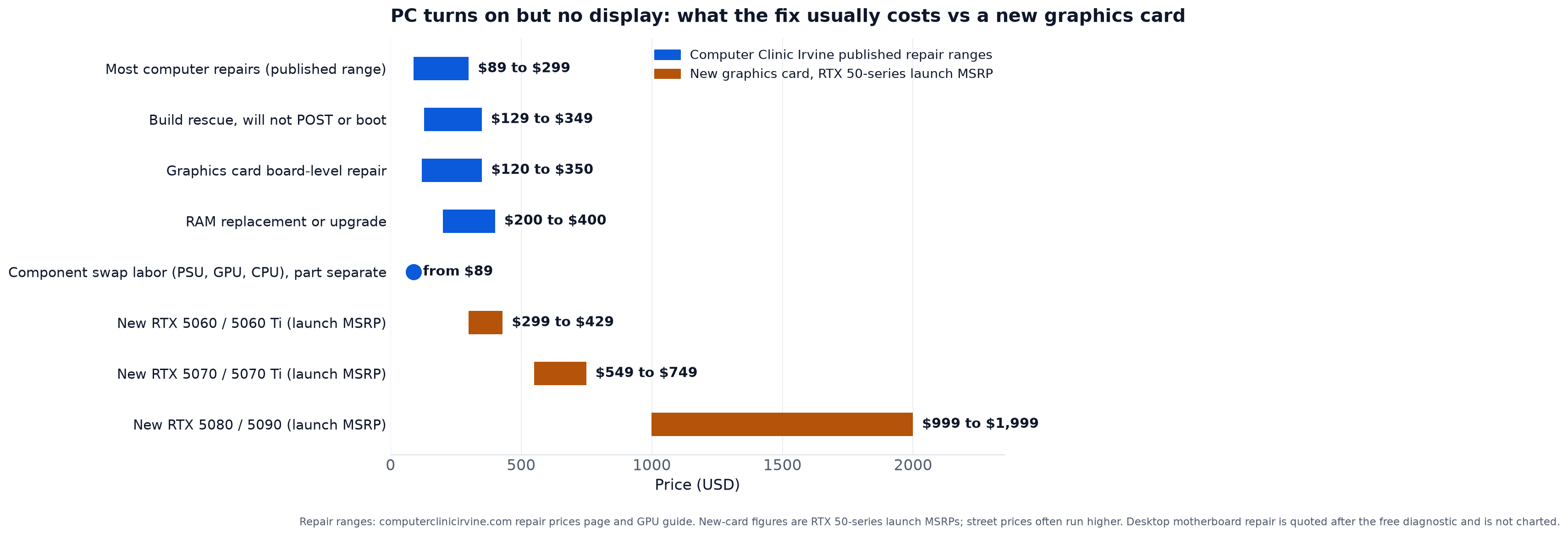
The argument here is the same one in our GPU repair or replace guide. A card that shows no display is not always a dead card, and when it is, board-level repair runs $120 to $350 against $549 to $749 for a new RTX 5070 or 5070 Ti and $999 to $1,999 for a 5080 or 5090. A 5060 or 5060 Ti at $299 to $429 sits closer to the repair range, and on a low-end card a replacement can be the better call. Either way, decide after you know the card is the problem, not before.
When It Is the Graphics Card
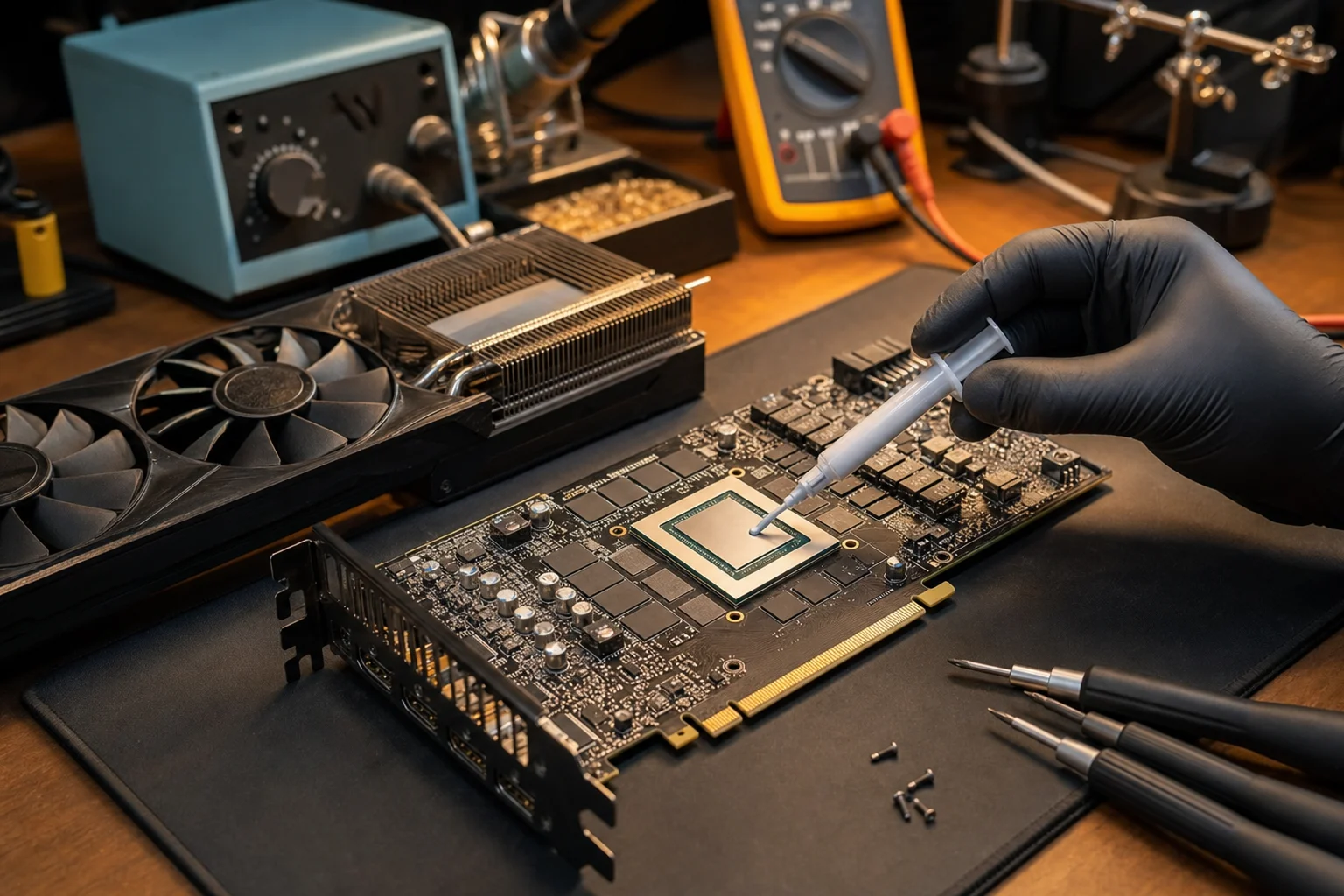
When the motherboard port gives a picture and the card does not, or the VGA LED stays lit, the card is the suspect. Four faults leave a card with no display, each at a different point in the $120 to $350 range.
- Dead core. The GPU chip itself, or its solder connection to the board underneath. A cracked joint under the chip means the core never comes up. Reflow (re-melting the solder under the chip so it reconnects) or reball (stripping those solder balls and laying new ones) is the high end of the range.
- VRAM. One bad memory chip can stop the card from initializing, or give you artifacts for a while and then black. Replacing it is chip-level work higher in the range.
- Power delivery. The card has its own voltage regulators feeding the core and memory. When a component in that chain fails, the core never gets power. The fans still spin, because the fan does not need the core alive. This work runs higher in the range.
- Fan and thermal. A card that overheats can go black under load and come back after it cools. A fan replacement and fresh thermal pads is the low end of the range.
The bench test settles it. Your card goes into a system we know works. A card we know works goes into your board. Two results, and nobody pays to replace the wrong part. Graphics card board repair runs 1 to 7 days depending on the fault. The service page is at graphics card repair in Irvine.
Motherboard, Power Supply, CPU
When the card tests good, the fault is behind it: the board, the supply, or the CPU's power path.
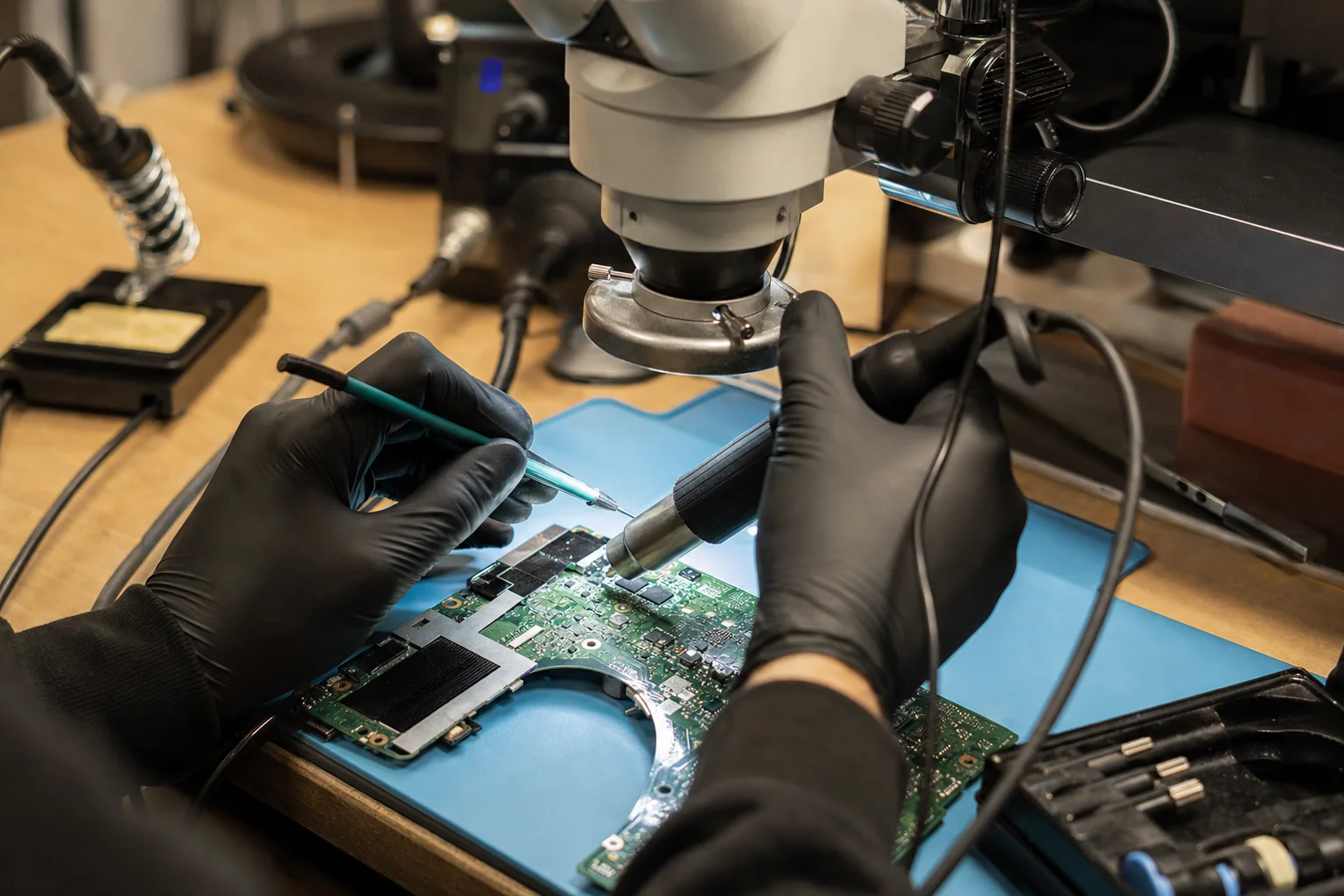
Motherboard. On a desktop, repair does not always win. A standard ATX or micro-ATX board is a commodity part, and a replacement board often costs less than the board-level labor to fix a failed PCIe slot or a burned CPU power stage. Repair wins in special cases: a board no longer sold, a workstation board, a failure that comes down to one component. That is why desktop motherboard repair is quoted after the diagnostic instead of listed as a range, and if a new board is the better answer, the quote says so. Board-level work takes 2 to 5 business days. The full comparison is in the motherboard repair vs replacement guide.
Power supply. A PSU that can spin the fans but cannot hold its rails under load produces exactly the fans-spin-no-display symptom, or the shut-off-and-retry loop from the table. We test with a known-good supply, and if yours is the fault, the labor is our component swap rate, from $89 on the prices page, plus the supply itself. We do not publish a price for the supply because a 550 W unit and a 1000 W unit are not the same part.
CPU power cable. The EPS connector near the top edge of the board, 8-pin, 4+4, or 8+4, feeds the CPU. Without it, the fans spin and nothing else happens: no display on the monitor but the CPU fan running. It is the cable that gets missed on a new build.
BIOS too old for the CPU. A board that shipped before your CPU came out may need a BIOS update to recognize it. The symptom is a clean build that spins and never posts, sometimes with the CPU LED lit. Some boards can update with no CPU installed (look for a rear-panel USB port and small button marked BIOS, Flashback, or Q-Flash Plus; the update goes on a USB stick and the button does the rest); others need an older chip in the socket, which is a bench job.
New Build, Never Showed a Picture
A new build with no display is its own category, and the one with the best news attached. First step: power it off and stop trying to boot. Then the list, in the order we check it:
- Motherboard standoffs in the wrong spots. An extra standoff where there is no mounting hole touches the back of the board and shorts it to the case.
- RAM not seated all the way. A stick can look level and still sit on top of the contacts. You usually hear a snap when it goes in.
- The EPS CPU power cable not plugged in. The 24-pin is easy to remember. The CPU cable at the top of the board gets missed.
- The CPU cooler holding the lid open. A cooler tightened unevenly, or a socket lever not closed under it, keeps the CPU from seating flat.
- BIOS needing an update for the CPU. Happens when the board has been on the shelf longer than the CPU has existed.
- A dead PSU. New parts fail too, and a dead supply looks exactly like a board fault until it is tested.
Most builds we see come back alive. Build rescue for a PC that will not POST or boot runs $129 to $349, and covers working that list, correcting what we find, and finishing the build to the desktop. Details are on the custom PC builds and build rescue page.
What Not to Do
Five things that turn a cheap no-display fix into an expensive one.
- Do not keep power-cycling it. If the machine is shutting off and retrying, or a debug LED is stuck, each attempt pushes current through whatever has failed. A shorted power stage gets worse with every try.
- Do not buy a new graphics card blind. The card is one of four suspects. If the fault is the slot, the PSU, or the RAM, the new card shows the same black screen and you own two cards. Test first.
- Do not pull the CPU. Every removal risks a bent pin, and a bent pin turns a free fix into a board replacement. There is nothing in this guide that needs the chip out. If the cooler is the suspect on a new build, loosen and retighten the cooler screws evenly in a cross pattern without lifting the chip, and leave the rest to the bench.
- Do not oven or hair-dryer reflow it. Baking a card can revive it for a few days and then kill it for good, because uncontrolled heat cracks the joints it was meant to fix. A proper reflow or reball is a controlled-temperature process, and it is what the top of the $120 to $350 range pays for.
- Do not run a Windows repair when the machine never reaches Windows. If you never see the BIOS logo, the operating system is not involved. Reinstalling Windows cannot fix a card or a board that is not producing a signal, and it can cost you data if the drive gets wiped in the attempt.
What Happens at the Bench
The sequence from the moment you walk in to the moment it boots.
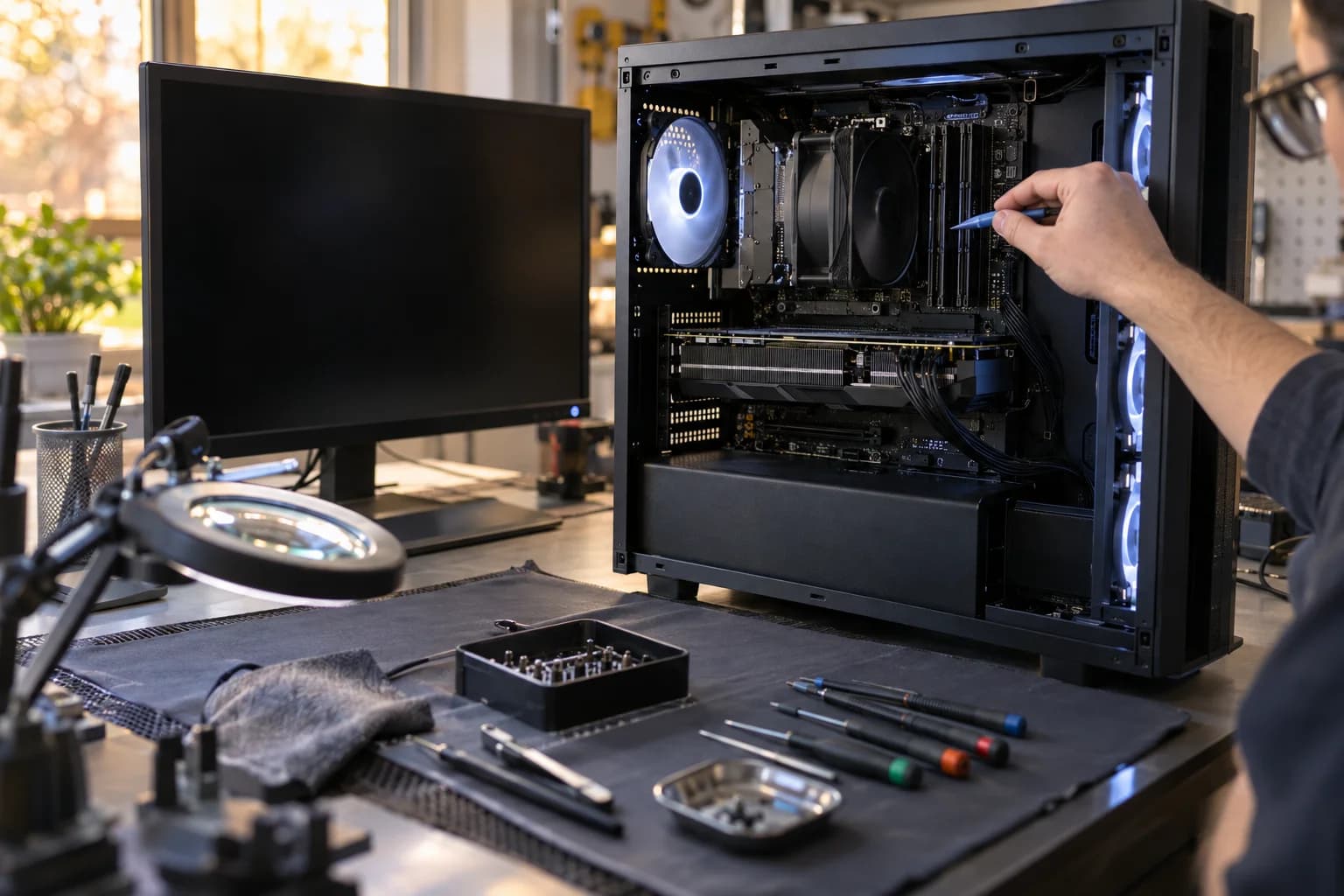
- Bring the tower, or the card. If you have already confirmed the card is the fault, the card alone is fine. If not, bring the whole tower so the board, RAM, and supply can be tested together. Put every RAM stick back in before you bring it, or bag the ones you pulled and bring them; we need all of them. Bring the power cord, and the monitor and its cable if you could not test them at home. For a new build, bring the motherboard and CPU boxes. Do not reinstall Windows, bake the card, or pull the CPU before you come in; see What Not to Do above.
- Diagnostic, no charge. The card-and-board swap from section 4, plus RAM one stick at a time and the supply under load. By the end, the failed part has a name, or, if the fault is intermittent and will not show on the bench, we tell you that and what it would take to catch it, rather than guessing at a part.
- Written quote. The part, the price, and the turnaround, in writing, before any work starts.
- The repair. Most repairs are same day, typically 2 to 4 hours, when the part is in stock: a RAM swap, a supply swap, a driver or OS fix, a fan and thermal job. If we have to order a specific supply, the quote says so. Board-level work is 2 to 5 business days. Graphics card board repair is 1 to 7 days depending on the fault.
- Warranty. Parts and labor are covered.
Sam, our lead technician, has 12+ years of hands-on experience, and the bench test is the same on a $299 card and a $1,999 one.
Find Out Which Part It Is Before You Buy One
Most computer repairs $89 to $299. Graphics card board repair $120 to $350. Build rescue $129 to $349.
Located at 18021 Sky Park Cir Suite H2, Irvine, CA 92614
Frequently Asked Questions About a PC With No Display
Fans Spinning, Screen Black? Bring It In.
Card, tower, or a build that never posted. Tested against known-good parts, priced in writing, fixed at board level in-house.
Serving Irvine and all of Orange County
Call or Text
(657) 321-9934
Visit Us
18021 Sky Park Cir Suite H2
Irvine, CA 92614
Mon-Fri 9 AM to 6 PM, Sat-Sun 10 AM to 4 PM | Free Diagnostic | 12+ Years Technician Experience