What Is My Broken Laptop Worth? Sell It, Fix It, or Keep It Running
A Windows laptop with a cracked screen, a drive that takes four minutes to reach the desktop, or a power button that does nothing is usually not worth zero. Most of them are worth a specific number, the number depends on things most people never check, and the few that are worth nothing we recycle free and tell you so at the quote. This guide covers what sets the price, when a cheap repair raises it, when selling as-is is smarter, what Windows 10's end of support changes, and how to prep the laptop for sale. If yours is a Mac, the MacBook version of this guide covers the same decision with Apple's numbers.
It comes from a shop on both sides of the transaction. Computer Clinic Irvine repairs Windows laptops, desktops, and gaming PCs at the board level, and we also buy used and broken computers, so we see which repairs pay for themselves at sale time and which do not. The repair side, with every published price, is in the laptop repair cost guide.
Want the Number for Your Laptop?
Free, no-obligation quote within 24 hours by text, email, or call. Working or not. Same-day cash, Zelle, or check when you accept.
Table of Contents
- 1. What Sets a Used Windows Laptop's Price
- 2. Fix Cost vs. What Replaces It, Charted
- 3. The Three Paths: Fix and Keep, Fix Then Sell, Sell As-Is
- 4. The Windows 10 Question
- 5. Gaming Laptops and Desktops: Part It Out or Sell Whole
- 6. Why a Dead Laptop Still Has Value
- 7. Before You Sell: The Prep Checklist
- 8. Frequently Asked Questions
What Sets a Used Windows Laptop's Price
Our quotes come from four inputs: the model, its condition, what it resells for on the open market, and the cost of any repair we would have to do before reselling it. Below, those four broken out into what you can check at the kitchen table before asking anyone what your laptop is worth.
- Age and processor generation. Two laptops in identical condition can land far apart on this alone.
- A dedicated graphics card. On a gaming laptop the card can be worth more than the rest of the machine. With a working dedicated card it is priced as a gaming laptop; without one, as a laptop.
- Condition. Cracked lid corners, a loose hinge, worn keys, a charging port that needs the cable held at an angle. Each is a deduction. A charging port repair falls inside our $89 to $299 range for common laptop repairs; hinge, lid, and keyboard work is quoted after the free diagnostic.
- Screen. A large deduction, because whoever buys it absorbs a $150 to $400 repair. Standard 1080p panels sit at the low end; high-resolution, touch, and high-refresh panels cost more.
- Battery. A battery that lasts twenty minutes is a deduction.
- Whether it runs Windows 11. Microsoft's minimum is a 1 GHz or faster processor with two or more cores on a compatible 64-bit chip, 4 GB of RAM, 64 GB of storage, UEFI with Secure Boot capability, TPM version 2.0, DirectX 12 compatible graphics, and a 720p display larger than 9 inches. The PC Health Check app answers it in one click; what a fail means for the sale is in section 4.
- Whether it is locked to an account. A laptop still signed into a Microsoft account, or encrypted with BitLocker and no recovery key, can only be used for parts until the owner clears it.
- RAM and storage. More of both raises the price. On many Windows laptops both can still be upgraded, which is a reason to keep the machine (SSD $149 to $349, RAM $200 to $400), not a reason to upgrade it before a sale; the upgrade rarely pays back at the counter.
Fix Cost vs. What Replaces It, Charted
These are our published prices for the repairs that most often send a laptop toward the drawer, next to what replaces them: Microsoft's Windows 10 security updates, and a new laptop.
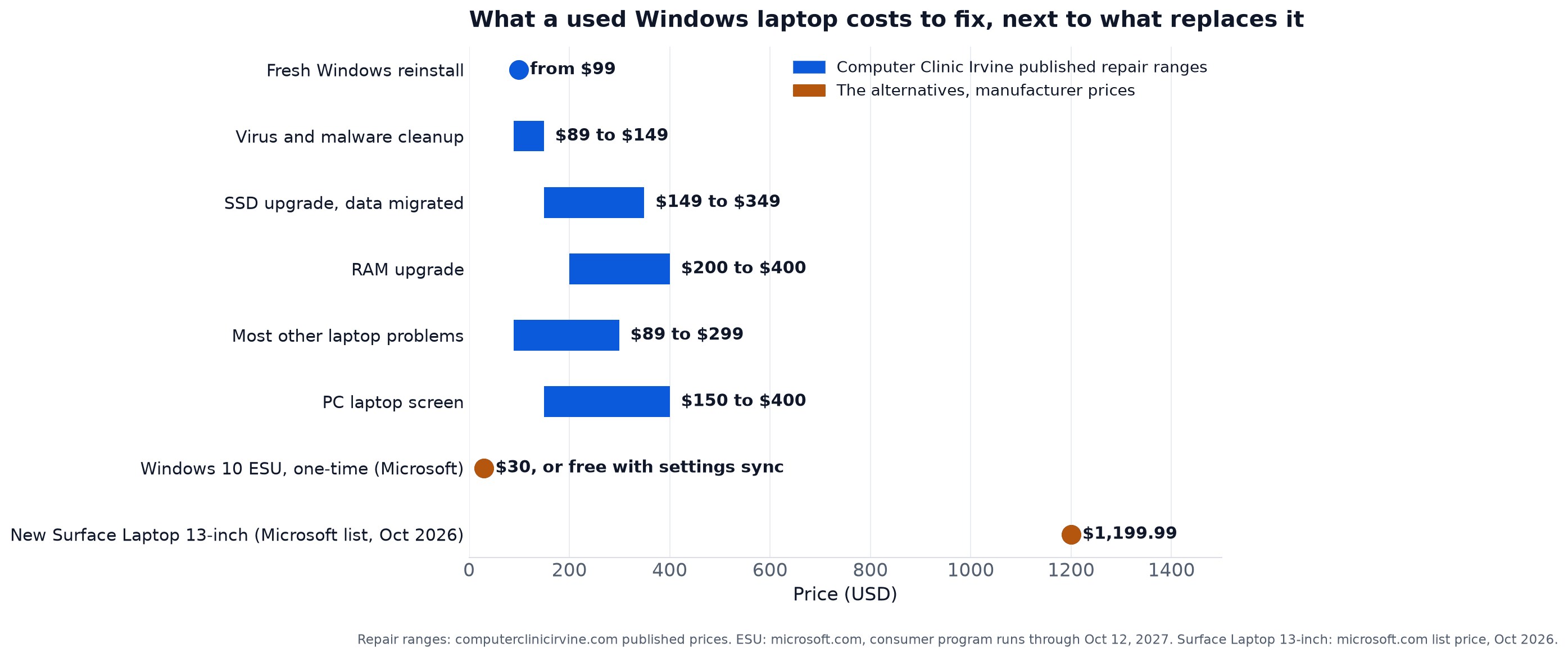
Every blue mark sits at a fraction of the new machine, which is the whole case for thinking before replacing. The orange dot near the bottom matters just as much. Microsoft's Extended Security Updates cost $30 one time, or nothing if you sync your PC settings, for security updates through October 12, 2027, so a laptop that cannot run Windows 11 is not automatically a dead laptop. The decision follows: fix what is cheap, keep what works, and sell what you were replacing anyway before it loses more ground.
The Three Paths: Fix and Keep, Fix Then Sell, Sell As-Is
| Your situation | Usually the right path | Why |
|---|---|---|
| Slow but otherwise fine, and it can run Windows 11 | Fix and keep: SSD, maybe RAM | An SSD upgrade at $149 to $349 with your data migrated turns a laptop you avoid into one you reach for; if it passes PC Health Check, it buys years. |
| Works fine but cannot run Windows 11 | Keep it on ESU through October 12, 2027, or sell as-is | $30 one time, or settings sync at no cost, buys the security updates. Selling buys whatever a parts buyer or a Linux user will pay, and that market shrinks with time. |
| Cracked screen, or any $150 to $400 repair, on a machine you are selling anyway | Sell as-is | Paying for the repair rarely pays back at sale. We repair in-house, so the repair cost is folded into the quote instead of coming out of your pocket first. |
| Gaming laptop or desktop with a good graphics card and an old everything else | Part it out or sell whole; ask us which | We buy components individually. The card alone can be worth more than the whole machine. |
| Dead, no power, or liquid damage | Sell as-is; tell us before the wipe if the files matter | We are a board-level shop, so a dead laptop is a repair candidate or a parts donor, not scrap. Data recovery is quoted at the same visit. |
| Locked to an account you cannot sign out of | Bring proof of ownership; reduced price, parts only | Until the owner clears the lock, the laptop can only be used for parts, and the price reflects that. A receipt or the original box lets us buy it. |
| Locked, and you cannot prove you own it | We cannot buy it | We buy from legal owners only. Sign out from another device, or find the receipt. |
The rule underneath these rows: a repair is worth doing before a sale only when it moves the machine from broken to working. Otherwise the repair belongs to the buyer. Because we repair in-house, the deduction is the cost of the repair we would do, which is one of the four inputs to the quote.
The Windows 10 Question
Windows 10 support ended October 14, 2025. In Microsoft's words, it no longer provides software updates, security fixes, or technical assistance to Windows 10 PCs. The laptop works as it did last year; what changed is that new security holes stay open unless it is enrolled in Extended Security Updates. That is the first thing to settle when deciding what to do with a Windows 10 laptop.
ESU is Microsoft's bridge for consumers: it runs through October 12, 2027, for devices on Windows 10 version 22H2, and it delivers security updates only, no feature updates and no technical support. Three ways to enroll: sync your PC settings to a Microsoft account at no additional cost, redeem 1,000 Microsoft Rewards points, or make a one-time purchase of $30 USD plus tax.
Whether the laptop can move to Windows 11 instead comes down to the minimums in section 1, and the PC Health Check app gives a pass or fail and names the item that failed.
For the sale: a laptop that passes sells to someone who wants a daily Windows laptop, which is most buyers. One that fails sells to a parts buyer or a Linux user, a smaller market that pays less and shrinks every year, so if you will sell a machine that cannot upgrade, sooner is better than later.
If you are not selling, $30 for those updates is cheap time. A Windows 10 laptop on ESU that still does what you need is a working computer until October 2027. Spend that time, then decide.
Gaming Laptops and Desktops: Part It Out or Sell Whole
Gaming machines break the usual rule that a computer is worth more whole than in pieces, because the graphics card often carries most of the value. We buy GPUs, CPUs, RAM, SSDs, and motherboards individually, so a gaming PC with a good card in an old machine is often worth more to us as parts than whole. Ask, and we will say which way the quote comes out.
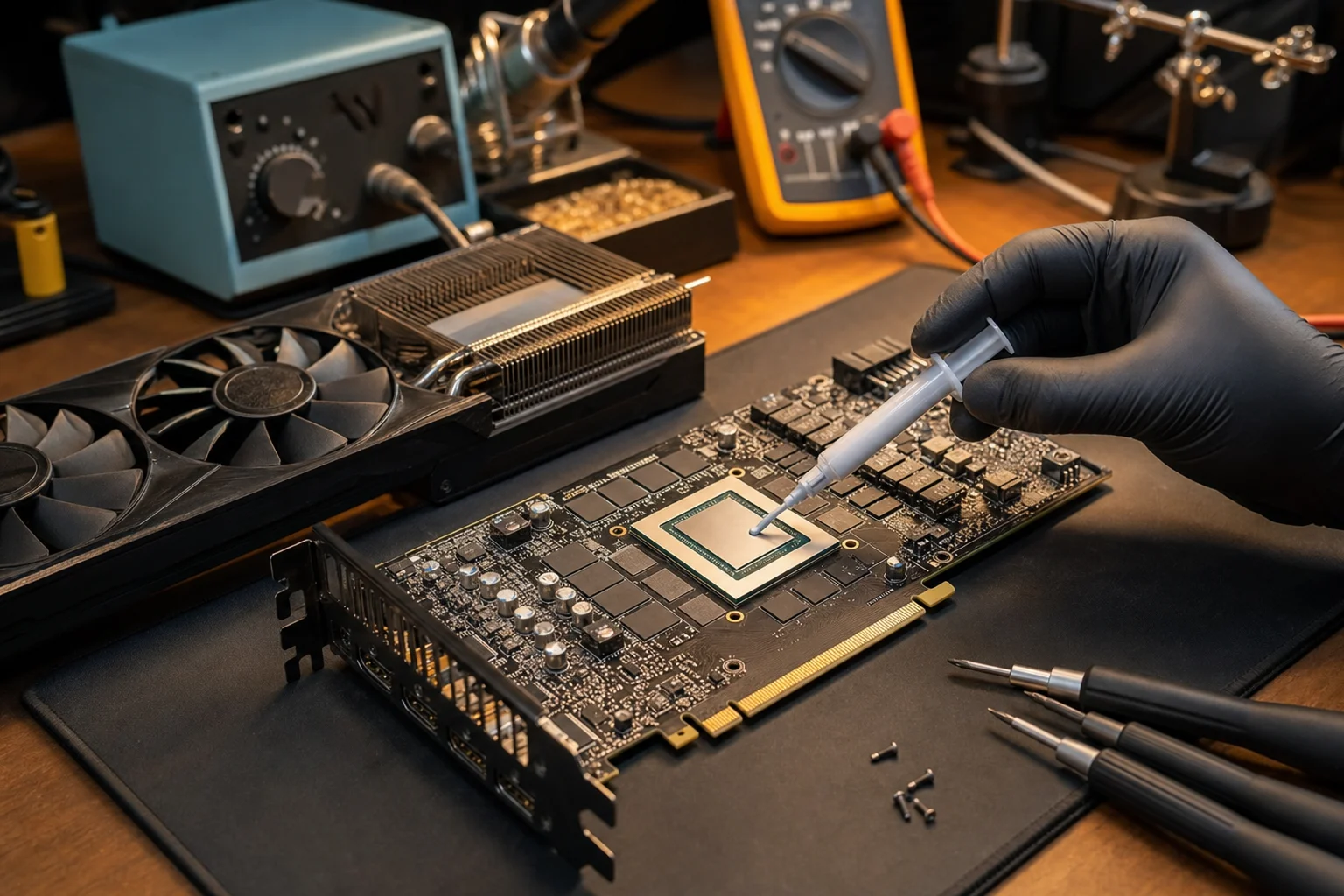
A card that stopped outputting video is not necessarily finished: board-level repair runs $120 to $350, which can beat a replacement card. Our graphics card repair page covers what we fix, and the repair-or-replace guide covers when the repair beats a new card.
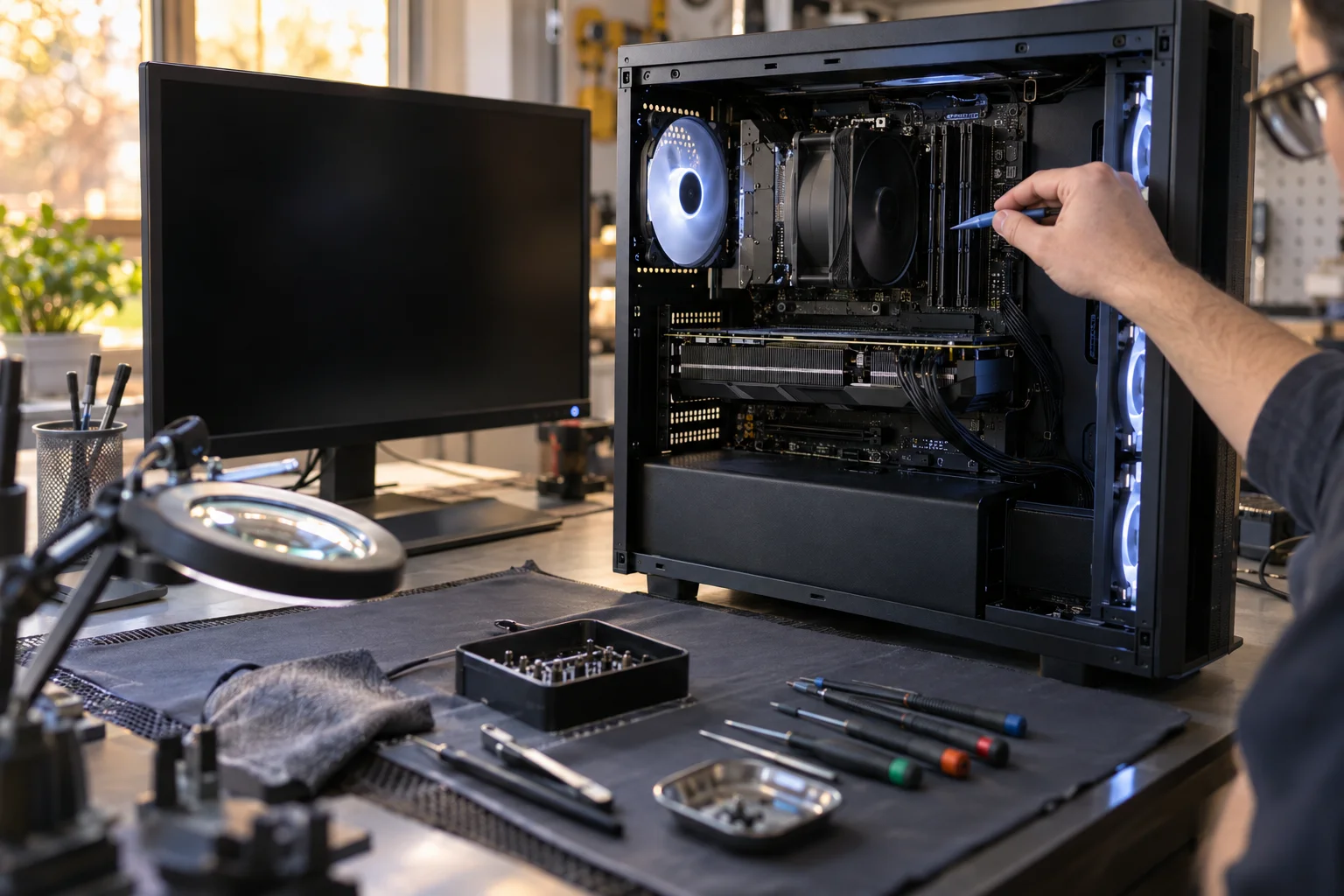
Desktops have one more path. A tower that never got past the power-on screen or died mid-upgrade is sometimes one failed or mismatched part from working, and build rescue at $129 to $349 exists for that case. Find out before selling it for parts: a working tower sells as a computer, a dead one as a pile of parts. Desktop motherboards are quoted after the free diagnostic, and a replacement board often wins. Details are on the custom PC page.
Why a Dead Laptop Still Has Value
Most places that advertise buying broken laptops buy the working ones and recycle the rest. A shop with a soldering bench sees a laptop that will not turn on differently: the fault is on the board, and the screen, keyboard, SSD, RAM, chassis, and battery around it may all be fine.
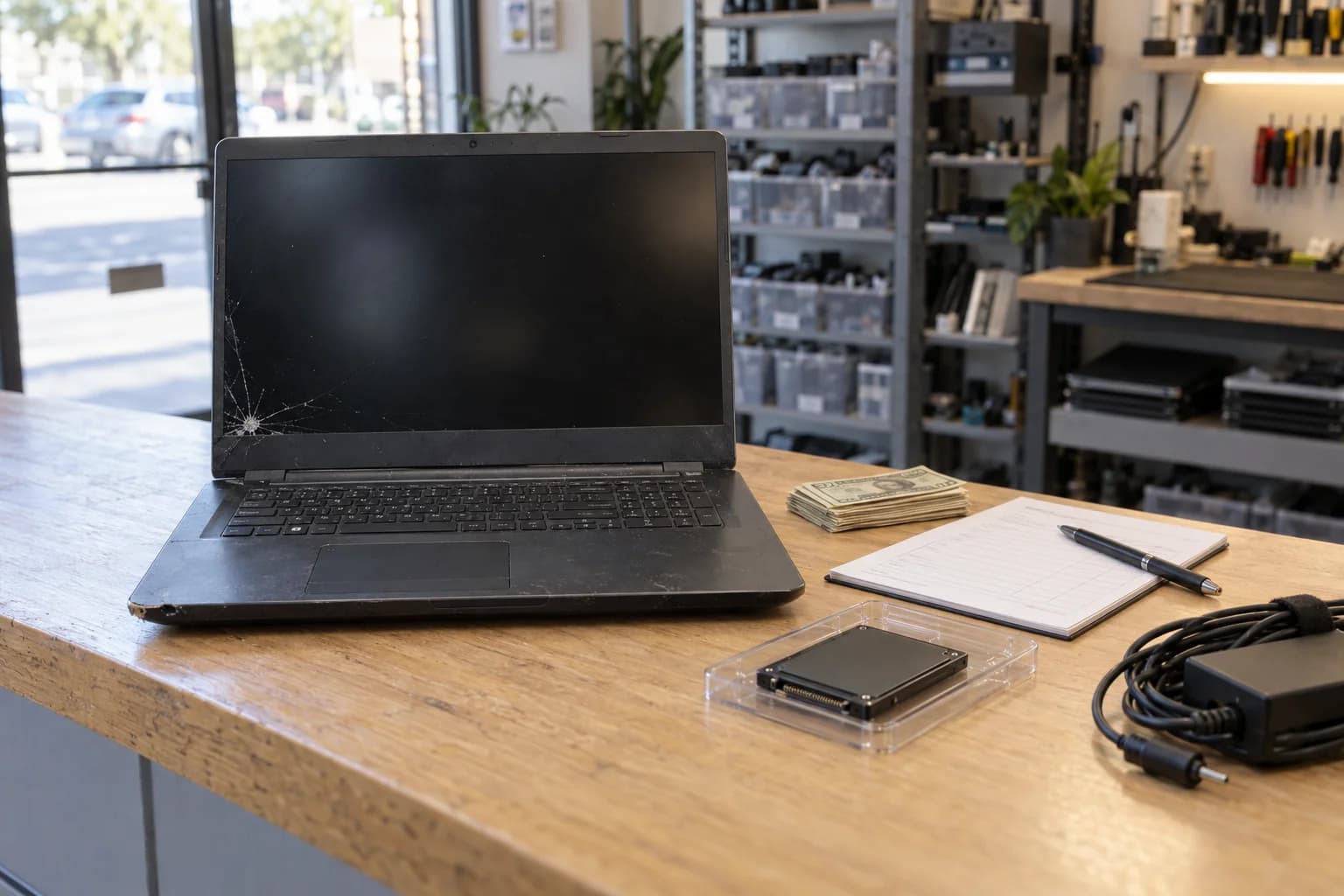
So a repairable dead laptop is worth something to us as a machine, and one beyond repair still carries parts value. We buy used computers and broken ones: water-damaged, no-power, cracked-screen, bent, and for-parts laptops, desktops, and gaming PCs.
If the dead laptop holds files that matter, say so before you sell it. Data recovery is a separate service with a free evaluation first; bring the BitLocker recovery key if the drive was encrypted; in-house recovery runs $149 to $349 for a logical problem (deleted files, a corrupted drive the computer still sees) and $399 to $799 for SSD and NVMe controller work. Once a laptop is sold and wiped, that option is gone.
What drives a laptop to zero: liquid that sat for months and corroded the board, a chassis bent enough to crack the display, parts that fit nothing still in service. A device with no resale or parts value is recycled responsibly, free, and we say so at the quote.
Not Sure Which Path You Are On?
Bring the laptop in. The diagnostic is free, and you get both numbers: what it costs to fix, and what we would pay for it as-is, quoted within 24 hours.
Call (657) 321-9934Before You Sell: The Prep Checklist
Ten minutes of prep protects your data and removes what most often delays a sale: a lock only you can clear.
- Back up. Copy what you care about to an external drive or cloud storage and open a few of the copies to be sure. If the laptop will not turn on and the files matter, find your BitLocker recovery key first (it is saved to your Microsoft account, not the laptop) and keep it; an encrypted drive without it cannot be read. Then skip the rest of this list and tell us.
- Sign out of your Microsoft and Google accounts. Sign the Microsoft account out of Windows and sign out of any Google account. A laptop still tied to an account is a parts-only quote until cleared.
- Turn off BitLocker, or have the recovery key in hand. An encrypted drive with no key is unreadable, and the laptop is priced as locked.
- Reset Windows from Settings. Unplug any external drive first, including the one you just backed up to. Then use Reset this PC, Remove everything, and when it asks, choose Only the drive where Windows is installed unless you mean to wipe a second drive too. We secure-erase every device we buy regardless, but resetting first means your files never leave your hands.
- Bring the charger; for a tower, just the tower and its power cord. The quote is easier to give with the original charger in hand. A desktop needs no monitor, keyboard, or mouse. A tower you would rather not carry may qualify for local pickup as a higher-value device, so ask when you send photos.
- Bring valid ID. We buy from legal owners only.
- Bring proof of ownership for anything locked. A receipt or the original box. Without it we cannot buy a locked laptop.
- Send photos and model details for the 24-hour quote. Photos of the laptop turned on, the lid, the keyboard, and any damage let us quote within 24 hours by text, email, or call. Or skip the photos and walk in at 18021 Sky Park Cir Suite H2 in Irvine.
- Send bulk lots as a list. Old company laptops, leftover parts, estate cleanouts, school upgrades: send a list or photos and we quote everything together. Local pickup is available for higher-value devices and bulk lots in Irvine, Tustin, Newport Beach, Costa Mesa, Lake Forest, Mission Viejo, Santa Ana, and Laguna Hills.
Get Both Numbers From One Shop
What it costs to fix, and what we would pay for it today. Then you decide.
Located at 18021 Sky Park Cir Suite H2, Irvine, CA 92614
Frequently Asked Questions About Selling a Laptop
That Drawer Laptop Has a Number
Cracked, slow, or dead, it is worth something to a shop that can fix it.
Same-day payment when you accept
Call or Text
(657) 321-9934
Visit Us
18021 Sky Park Cir Suite H2
Irvine, CA 92614
Mon-Fri 9 AM to 6 PM, Sat-Sun 10 AM to 4 PM | Free Quote in 24 Hours | 12+ Years Technician Experience
Related Services
Sell Your Device
Windows laptops, desktops, gaming PCs, handhelds, and parts. Working or not, quoted within 24 hours
Computer Repair
Most laptop and desktop repairs $89 to $299, free diagnostic, most done the same day
SSD and RAM Upgrades
SSD $149 to $349 with your data migrated, RAM $200 to $400, when keeping it is the better path