What Is My Broken MacBook Worth? Sell It, Fix It, or Both
A MacBook with a cracked screen, a dead battery, or a board that will not power on is not worth zero. It is worth a specific number, and that number depends on things most people never check before they accept a lowball offer or toss it in a drawer. This guide explains what sets the price, when a small repair raises it by more than the repair costs, when selling as-is is the smarter move, and how to prep the machine so the sale goes cleanly.
It comes from a shop that sits on both sides of the transaction. Computer Clinic Irvine repairs MacBooks at the board level and also buys used and broken devices, so we see exactly which repairs pay for themselves at sale time and which ones do not.
Want the Number for Your MacBook?
Free, no-obligation quote within 24 hours. Working or not. Same-day cash, Zelle, or check when you accept.
Table of Contents
What Sets a Used MacBook's Price
Our quotes come from four inputs: the model, its condition, what it resells for on the open market, and the cost of any repair we would have to do before it could be resold. Everything below is one of those four in disguise.
- Chip generation and year. Apple Silicon Macs (M1 and later) hold value far better than late Intel models, and the gap keeps widening. Two MacBooks in identical condition can land far apart on this alone.
- Screen. The single most expensive part on the machine. A cracked or dead display is the biggest deduction a MacBook can take, because whoever buys it has to absorb a $399 to $599 repair.
- Battery health. Check it under System Settings, Battery. A battery below 80 percent capacity or flagged for service is a real deduction, though a smaller one than people assume, because the fix is $149 to $209.
- Whether it powers on. A no-power Mac is not worthless, but the buyer has to price in diagnosis and board work. What killed it matters a lot: a failed charging component is a very different story from a board that sat in liquid for a month.
- Locks and ownership. Find My and Activation Lock left on sharply cut what any legitimate buyer can pay, because the machine can only be used for parts. Proof of ownership is required for locked devices, and valid ID for every sale.
- Configuration. More RAM and storage raise the price on Apple Silicon Macs, where neither can be upgraded after the fact.
Fix Cost vs. New Mac, Charted
Before deciding anything, it helps to see the scale. These are our published prices for the repairs that most often send a MacBook toward the drawer, next to what a new one costs:
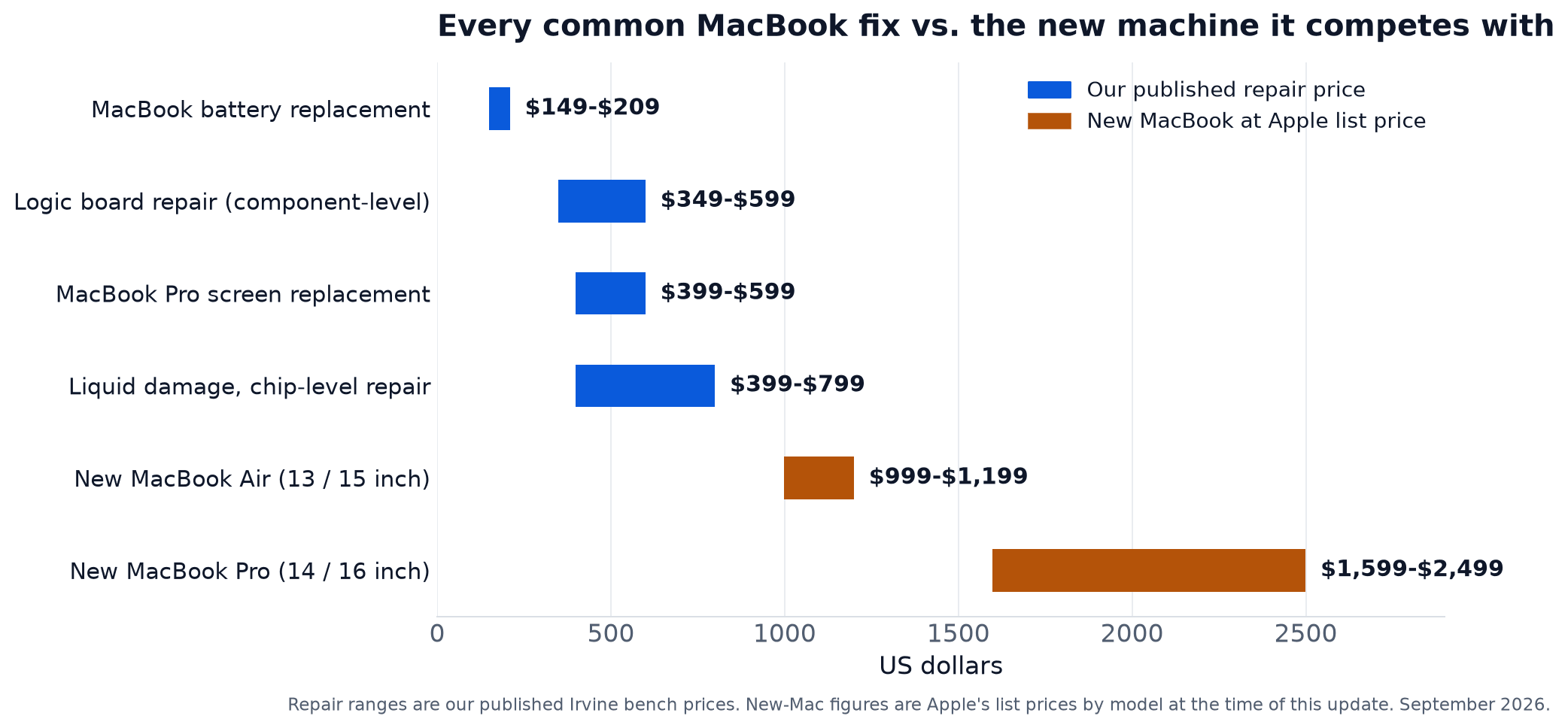
Every blue bar ends before the first gold bar begins. That is the whole reason the "fix it or sell it" question is worth five minutes of thought instead of a reflexive trip to the Apple Store: the repair that makes a MacBook sellable, or keeps it in service, costs a fraction of the machine it would be replaced with.
The Three Paths: Fix and Keep, Fix Then Sell, Sell As-Is
| Your situation | Usually the right path | Why |
|---|---|---|
| Apple Silicon Mac, one fault, you still like it | Fix and keep | A $149 to $599 repair buys years on a machine that lists for $999 or more new at Apple today. |
| Working Mac with a tired battery or cosmetic wear, and you want out | Fix small things, then sell | Buyers pay a premium for "just works." A fresh battery or a cleaned-up machine usually lifts the sale by more than the fix costs. |
| Cracked screen or dead board, and you want out | Sell as-is to a shop that repairs in-house | Paying retail for a big repair rarely pays back at sale. A buyer who does the repair themselves can pay you for the machine, not the problem. |
| Late Intel Mac, multiple issues | Sell as-is, or fund the upgrade with it | Resale value is falling faster than any repair can protect. Sell before it falls further. |
| Locked, and you cannot prove you own it | We cannot buy it | Only the owner can clear Activation Lock, and we buy only from legal owners. Sign out from another device, or bring the receipt. |
| Genuinely worth nothing | Recycle | Devices with no resale or parts value get recycled responsibly, no charge. Nothing should end up in a landfill. |
The rule underneath these rows: a repair is worth doing before a sale only when it changes the category of the machine, from "broken" to "working" or from "battery warning" to "just works." Repairs that leave the machine in the same category, or that cost as much as the value they add, belong to the buyer, not the seller. The Apple Upgrade lease-or-keep post runs the keep-it math in more depth, and the same decision for phones is in upgrade, repair, or sell your iPhone.
Why a Dead MacBook Still Has Value
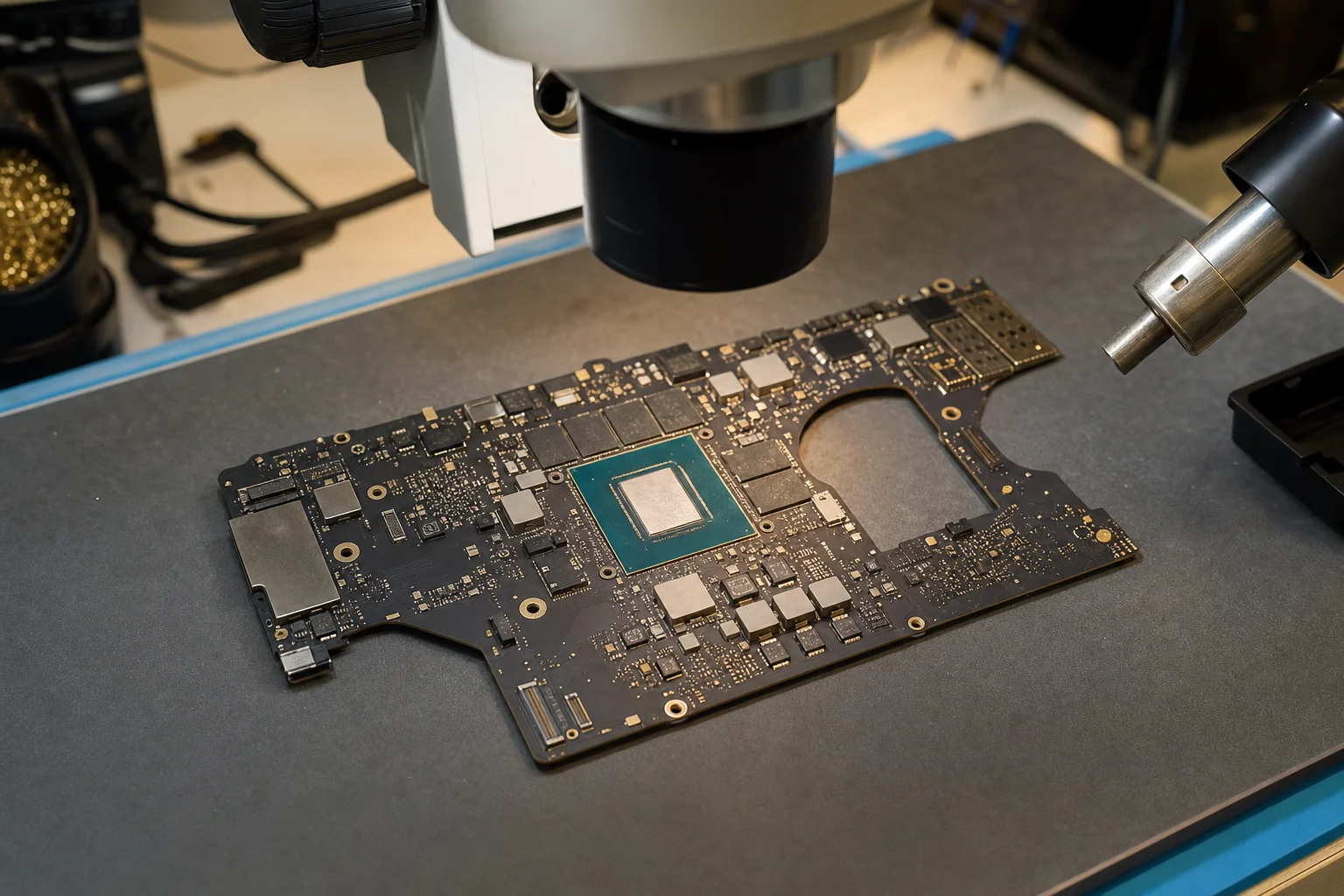
Most buyers see a MacBook that will not turn on and see nothing. A shop with a micro soldering bench sees a machine where, in the usual case, one component on the logic board has failed and everything else is fine: the display, the keyboard, the trackpad, the chassis, the battery, the storage. Two things follow from that.
First, a repairable dead Mac is worth real money to us, because we can bring it back with the same component-level board repair we do for customers every week. Second, even a Mac that is genuinely beyond repair still carries parts value, and those parts keep other people's machines alive. That is why the same device that gets "recycling only" from a big retailer gets a number from us.
What destroys value: liquid damage that sat for months and corroded across multiple circuits, and a bent chassis that stresses the board and display. Those drop the quote to parts value or recycling, and we say so at the quote rather than after. A lock with no proof of ownership is different: it means we cannot buy the machine at all.
Not Sure Which Path You Are On?
Bring the MacBook in. The diagnostic is free, and you get both numbers at once: what it costs to fix and what we would pay for it as-is.
Call (657) 321-9934Apple Trade In vs. a Local Buyer
Apple's trade-in program is convenient and legitimate, and for a working, recent Mac that you are replacing with another Apple product, it can be the simplest route. Know its shape before you use it:
- Credit, not cash. Apple pays in credit toward a purchase, not cash, so the value only counts if you were spending it at Apple anyway.
- Built for working devices. The estimate you see online assumes a functioning Mac. Damage is assessed on inspection and typically pulls the value down hard, and machines that fail inspection are generally routed to recycling.
- Broken means recycling. A cracked screen or a no-power Mac is usually offered recycling, not payment.
A local buyer with a repair bench inverts each of those. We pay same day in cash, Zelle, or check. We buy water-damaged, no-power, cracked-screen, bent, and for-parts Macs, and price them on what they are worth repaired or as parts. And if you are not sure whether to sell at all, the same visit gets you the repair quote too. The short version: working and recent, compare both offers. Broken or older, the local bench is usually the only one that pays anything.
Before You Sell: The Prep Checklist
Five minutes of prep protects your data and removes the one thing that most often delays a sale: a lock nobody but you can clear.
- Back up. Time Machine to an external drive, or make sure iCloud has everything you care about. If the Mac will not turn on, skip this step and tell us; data recovery is a separate service we can quote at the same visit.
- Sign out of iCloud and turn off Find My. System Settings, your name at the top, Sign Out. This clears Activation Lock, which is the difference between a full-value quote and a parts-only one.
- Erase it. On Apple Silicon and T2 Macs: System Settings, General, Transfer or Reset, Erase All Content and Settings. On older Intel Macs, boot to Recovery, erase the drive in Disk Utility, and reinstall macOS. We securely wipe every device we buy regardless, but erasing first means your data never leaves your hands.
- Remove it from your Apple account. On another device, check your Apple Account (Apple ID) device list and remove the Mac if it still appears.
- Bring ID, and the charger if you have it. We only buy from legal owners, so valid ID is required, and for a device that is still locked, proof of ownership (a receipt or the original box) is required as well.
Students: selling the old MacBook is a common way our student customers fund the next one. If you decide to repair instead, the student discount applies with any valid college ID.
Get Both Numbers in One Visit
What it costs to fix, and what we would pay for it today. Then you decide.
Located at 18021 Sky Park Cir Suite H2, Irvine, CA 92614
Frequently Asked Questions About Selling a MacBook
That Drawer MacBook Has a Number
Cracked or dead, it is worth something to a shop that can fix it.
Same-day payment when you accept
Call or Text
(657) 321-9934
Visit Us
18021 Sky Park Cir Suite H2
Irvine, CA 92614
Mon-Fri 9 AM to 6 PM, Sat-Sun 10 AM to 4 PM | Free Diagnostics | 12+ Years Technician Experience