- What it is: Apple Upgrade leases iPhone, iPad, Mac, and Watch on 12, 24, or 36 month terms. At the end you return the device and lease another. You never own it.
- The fine print: keep it in "good condition" or face a damage fee at return (or pay for AppleCare along the way). Quitting after day 14 costs every remaining payment.
- Who it suits: people who truly want new hardware every cycle and will pay for that as a subscription.
- The math for everyone else: a $69 to $89 battery or a $279 to $399 SSD upgrade keeps a paid-off device great for years, against a replacement that starts at $799 to $999, or a payment that never ends.
The email landed this week: "Love it. Lease it. Upgrade it." Apple Upgrade extends the iPhone-style upgrade treadmill to everything Apple makes, and the pitch is genuinely appealing, small monthly payments, always the newest thing, hand it back and repeat. We fix Apple devices for a living in Irvine, which gives us a particular view of this: we see what devices actually cost to keep alive, and what they cost to replace. So here is the honest breakdown, including the parts of the lease terms most people will not read.
What Apple Upgrade actually is
It is a lease, plain and simple, and Apple says so. You pick a device and a term, 12, 24, or 36 months, and make monthly payments. At the end of the term you return the device, in Apple's words in "good working condition," using their return kit or an Apple Store drop-off, and lease something new. Monthly pricing is set per device and term at checkout. Three structural facts follow from that design: the payments never build ownership, the program is exclusive to Apple, and the end of every term is engineered to start the next one.
The three fine-print clauses that matter
From Apple's own program page, not our paraphrase:
1. The condition clause. "You will need to keep your device in good condition, or purchase AppleCare protection to avoid a damage fee at the end of your lease term." Translation: a cracked screen on a leased iPhone is not just cosmetic, it is a bill waiting at return, and the insurance against that bill is itself a monthly cost.
2. The exit clause. After the first 14 days, ending the lease early means "an early termination fee equal to the total of your unpaid monthly lease payments." From day 15, you owe the full term no matter what.
3. The ownership clause. There is no ownership. After 36 months of payments you hold nothing, which is precisely what makes the next lease feel necessary.
The four ways to have an Apple device, compared
Leasing is the newest option, not the only one. Here is the honest map of all four paths. Lease pricing is set per device and term at checkout, so it appears here as what it is, a recurring payment whose exact size you learn when you enroll.
| Path | What you pay | Own it at the end? | Damage risk | Best for |
|---|---|---|---|---|
| Lease (Apple Upgrade) | Monthly, forever, resets each term | No | Damage fee at return, or pay for AppleCare | Always-newest upgraders |
| Finance to own | Monthly for a fixed term, then done | Yes | Yours to repair on your terms | Spreading cost without renting |
| Buy outright | Once | Yes, day one | Yours to repair on your terms | Lowest total cost of a new device |
| Keep what you have + repair | Only what breaks, when it breaks | You already do | A repair bill, not a fee schedule | Everyone whose device still does the job |
Who leasing genuinely suits
We will be fair here, because the program is not a scam, it is a preference with a price tag. Leasing makes real sense if you truly want the newest device every cycle and would buy it anyway, if you value a predictable monthly cost over total cost, or if you run a business that expenses devices and refreshes them on schedule. For that person, Apple Upgrade is the honest subscription version of what they were already doing.
For everyone else, the question is different: what does the device you already own need to keep doing its job?
The keep-vs-replace math, from our bench
These are our published repair prices next to Apple's entry prices for new hardware. This is the comparison the upgrade treadmill hopes you never make:
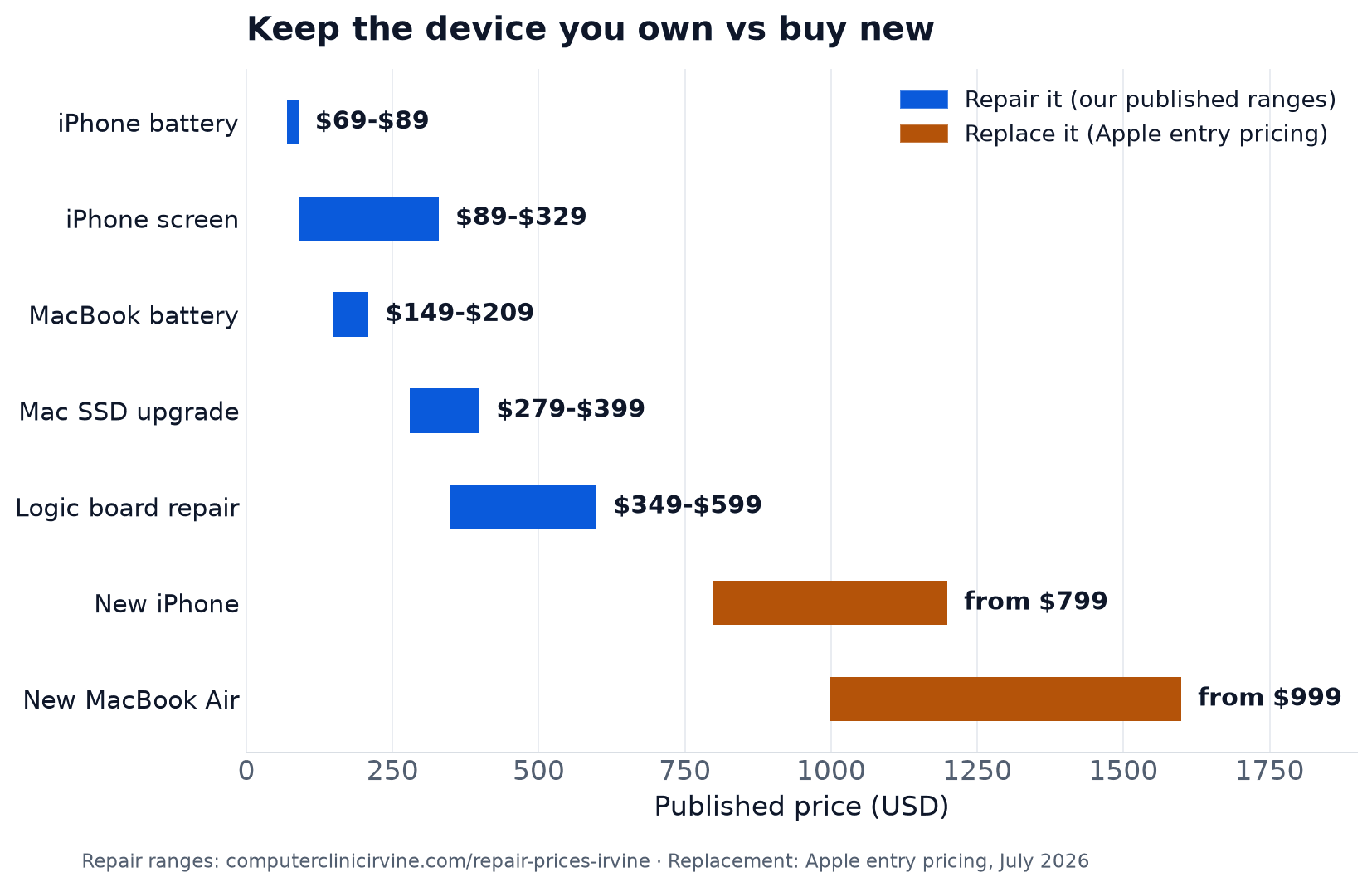
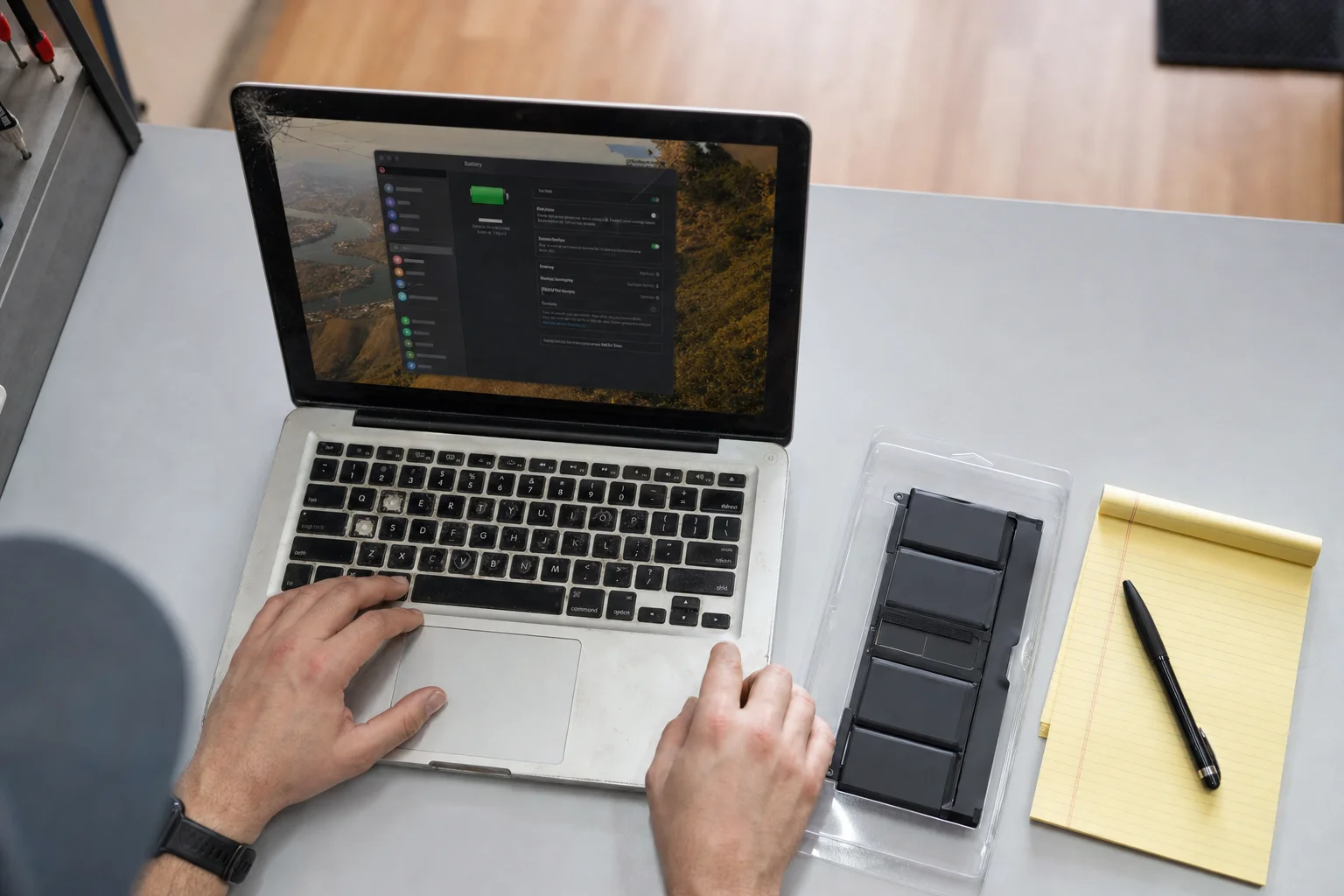
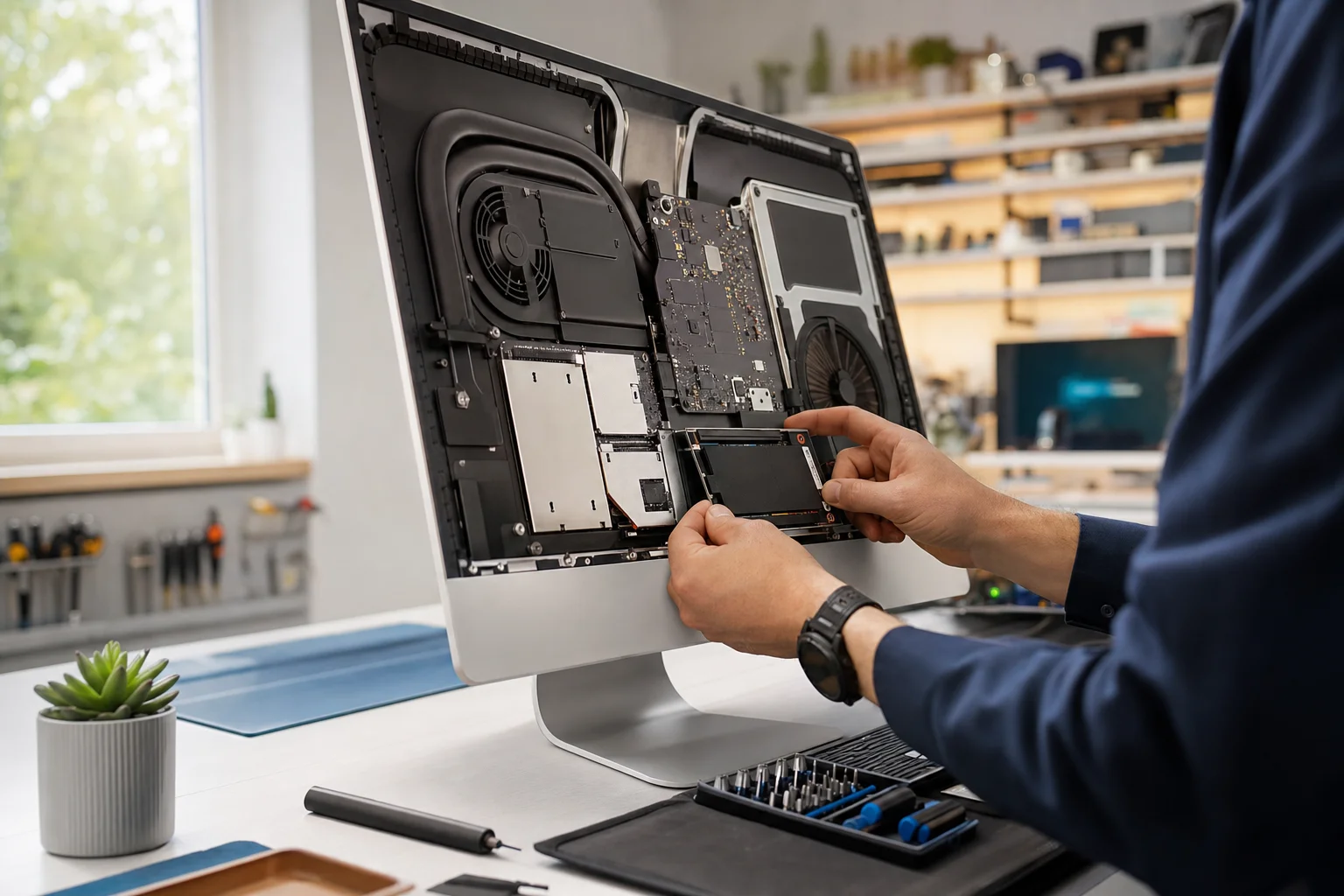
Read it plainly: the most common thing standing between a three-year-old iPhone and two more good years is a $69 to $89 battery, one or two months of typical device payments. The most common thing making an older Mac feel dead is a slow drive, and a $279 to $399 SSD upgrade fixes it. Even the worst case, a failed logic board at $349 to $599, lands under any replacement path. A device you own and maintain costs hundreds over its life. A lease costs a payment forever.
Three years from now: a worked example
Apple sets lease pricing per device and term at checkout, so run this with whatever number they quote you. The arithmetic below uses round illustrative rates to show the shape of it, and the shape is what matters.
The lease path. Say an iPhone lease lands anywhere near $30 a month. Over a 36 month term that is about $1,080 paid, plus AppleCare if you want protection from the return-day damage fee. On day 1,096 you hand the phone back and own nothing, and the next lease begins. At $40 a month the same shape costs about $1,440. Whatever the real quote is, multiply it by 36 and add the word "again" at the end.
The buy-and-keep path. Buy the $799 iPhone outright. Around year three, give it the $69 to $89 battery that makes an aging iPhone feel new. Total: under $900 across the same three years, and at the end you hold a working phone that is either your daily driver for years four and five, your backup, or a trade-in credit.
The keep-what-you-have path. If your current device still does its job, the three year cost is whatever actually breaks, which for most people is one battery and maybe one screen. Often that totals less than six months of any lease.
Residual value: where the money actually goes
Here is the structural difference that the monthly-payment framing hides. Every device has residual value, what it is worth used. When you own, that value is yours: sell it, trade it in, hand it down, keep it as the backup that saves you the week your phone breaks. When you lease, the device goes back to Apple, and its remaining value goes with it. That is not a hidden fee, it is the business model: the lease payment rents you the depreciation, and the residual, the part that used to be your trade-in, now belongs to Apple. Multiply that by every term, forever, and you see why the program exists.
This is also why we tell people not to let an owned device rot in a drawer. It is the one asset in this whole equation that is actually yours, and we buy used and broken devices precisely because that value is real.
The lease-return corner: damage fees and repairs
Here is the new decision this program creates, and the honest version of it. If you lease and the device gets damaged, you have three paths at return time: pay Apple's damage fee, have been paying for AppleCare all along, or repair it before return. Whether a repair beats the fee depends on numbers Apple will quote you at return, and on the fact that Apple inspects returned devices, so any repair on a leased device needs to hold up to that inspection. Ask for the damage fee number first, then do the math, and if you bring us the numbers we will tell you straight which path is cheaper, even when the answer is "just pay Apple's fee."
A leased device belongs to Apple, so lease-term problems should generally go through Apple and AppleCare, and we will tell you so at the counter. Our work is the devices you own: out-of-warranty iPhones and Macs, the ones Apple quotes replacement prices for, and the ones you plan to keep rather than hand back.
Five questions before you enroll
- Do you actually upgrade every cycle? Check your history, not your intentions. If your last phone lasted four years, a 12 or 24 month treadmill is paying for a habit you do not have.
- Is your current device failing, or just aging? A slow, short-battery device is usually a $69 to $399 repair, not a replacement. A free diagnostic answers this question before a lease term does.
- Will you keep it pristine, or pay for protection? Be honest about your track record with screens. The damage-fee clause means clumsy hands either buy AppleCare monthly or budget for the fee at return.
- Could you need out early? After day 14, exiting costs every remaining payment. A 36 month term is a 36 month commitment, whatever changes in your life or Apple's lineup.
- What is your current device worth right now? That residual value is yours only while you own it. Price it before you decide, not after the new device ships.
If you do switch to leasing, do one smart thing first
Your current device is the last one you will own for a while, so do not let it die in a drawer. If it works, sell it while it holds value, we buy used and broken devices at the shop. Or keep it as the backup everyone wishes they had the day a phone breaks mid-lease. Either way, decide on purpose.
Deciding whether your device is worth keeping?
Free diagnostic at our Irvine bench. We tell you what it actually needs, what that costs, and honestly whether the repair math or the replacement math wins for your situation.
Related reading: our Apple repair page for everything we fix on iPhone, iPad, Mac, and Watch, the iPhone battery replacement page with prices side by side against Apple, and our slow iMac guide for the single upgrade that saves the most Macs from replacement.
Frequently asked questions
What exactly is Apple Upgrade?+
Apple's new leasing program, announced in July 2026. You lease a new iPhone, iPad, Mac, or Apple Watch on a 12, 24, or 36 month term, make monthly payments, and at the end you return the device and lease a new one. You do not own the device at any point, and it is only offered through Apple.
Is leasing cheaper than buying?+
Month to month it feels cheaper, which is the point of the design. Over years it usually is not: you make payments continuously and own nothing at the end, then start again. Buying means a bigger day-one cost, but the payments stop, and a device you own can be kept healthy for years with repairs that cost a fraction of any replacement. Which one wins depends on how often you genuinely want new hardware.
What happens if I damage a leased device?+
Apple's own terms say you must keep the device in good condition or purchase AppleCare to avoid a damage fee at the end of your lease. So a cracked screen on a leased iPhone is not just cosmetic, it is a bill waiting at return time, either as AppleCare payments along the way or a damage fee at the end.
Can I end the lease early?+
Yes, but read the terms first. Apple's page says that after the first 14 days, ending early means an early termination fee equal to the total of your remaining monthly payments. In other words, you are committed to the full term's cost from day 15 either way.
Should I repair a leased device at an independent shop?+
Honest answer: usually no, and we are a repair shop telling you that. A leased device belongs to Apple and gets inspected at return, so lease-term problems should go through Apple and AppleCare. Where we come in is everything you own: your current out-of-warranty devices, and any device you plan to keep rather than hand back.
I am deciding right now between leasing and keeping my current iPhone or Mac. What is the honest framework?+
Ask what your current device actually needs. If a paid-off iPhone needs a $69 to $89 battery to feel new again, that is one or two months of typical device payments for two more years of life. If your Mac is slow, an SSD upgrade at $279 to $399 beats a $999-plus replacement for most people. Lease when you truly want new hardware every year or two and like the predictable payment. Keep and repair when your device does what you need, because that math is rarely close.
What should I do with my current device if I switch to leasing?+
Do not let it rot in a drawer. If it works, sell it while it still has value, we buy used and broken devices at the shop. Or keep it as a backup, which everyone regrets not having the day a phone breaks. Either way, a device you own outright is an asset, treat it like one.
Does Apple Upgrade change anything for repairs in Irvine?+
Not for what we do every day. Most of Orange County runs on owned devices, and out-of-warranty repair is exactly where independent shops earn their keep: batteries in an hour, screens the same day, board-level work Apple answers with a replacement quote. Leasing adds one new decision point, and we would rather help you make it honestly than pretend it does not exist.