- Apple's price: $800 to $2,000+ (whole-board replacement).
- Our typical price: $349 to $799 (component-level repair).
- Worth repairing if: machine is under 5 years, you need the data, replacement costs more.
- Apple Silicon (M-series): yes, we do it. Harder than Intel, but doable.
- Where: Computer Clinic Irvine, 18021 Sky Park Cir Suite H2.
If you have brought a MacBook Pro to the Apple Store and walked out with a $1,200 to $2,000 board replacement quote, you are not crazy for getting a second opinion. Apple's repair model is intentionally simple: they replace the whole logic board even when the actual fault is a single failed chip. That model is efficient for them. It is expensive for you.
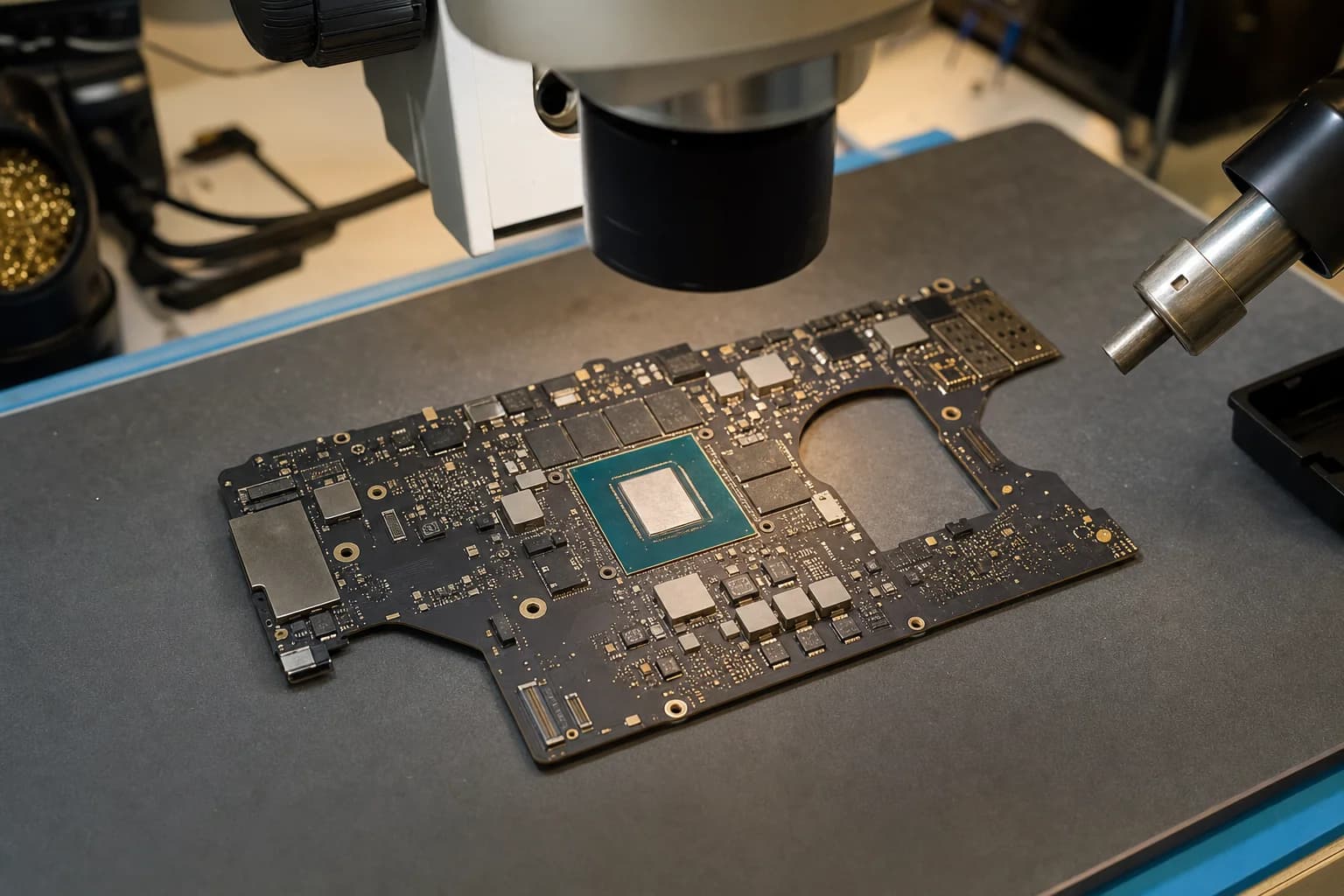
Component-level repair is a different model. We diagnose down to the specific failed part (a power management IC, a charging chip, a damaged trace, a leaky capacitor), then replace just that part using microsoldering. The work takes longer than swapping a board, but it costs a fraction, and it preserves the machine and the data exactly as you had it.
This post is the honest version of when that math works and when it does not.
What "logic board repair" actually covers
When people say "MacBook logic board issue" they usually mean one of these symptoms. The right diagnosis comes from the bench, but most of these have specific component-level fixes.
- No power, no charge. Usually a charging IC, a power management IC, or a damaged USB-C/MagSafe port circuit. Common on coffee-spill MacBooks.
- Turns on, then shuts off in 30-90 seconds. Overcurrent or overtemperature protection tripping on a power rail. Failed MOSFET, leaky cap, or PMIC driver.
- High current draw at the wall. The board is pulling abnormal amperage. Short or partial short on a power rail. See our case study on a 2.7A current draw fault on an M3 MacBook Pro for what this looks like.
- Random kernel panics or shutdowns. Often a flaky power rail, marginal SSD, or thermal issue rather than the SoC itself.
- No display, but the machine boots. Backlight circuit failure, flexgate cable issue, or LCD power rail. Often fixable at the board.
- USB-C ports, Thunderbolt, or HDMI dead. Specific port controllers can fail individually. Replaceable.
- Liquid damage residue. The board is alive but corroding. We ultrasonic clean and replace damaged components before the rot spreads.
What it actually costs
Flat-rate pricing per fault type. The exact number comes from the diagnostic. These are the typical ranges we quote.
| Type of repair | Apple (whole board) | Computer Clinic Irvine |
|---|---|---|
| Charging IC / charging port circuit | $800 to $1,200 | $349 to $449 |
| Power management IC (PMIC) | $1,000 to $1,500 | $399 to $549 |
| Backlight circuit | $800 to $1,200 | $299 to $449 |
| Liquid damage cleanup + components | Often declined or $1,200 to $2,000 | $399 to $799 |
| GPU reflow (2011 to 2013 MBP) | No longer serviced | $349 to $499 |
| Apple Silicon SoC area work (rare) | $1,500 to $2,500 | $549 to $799 |
Free diagnostic. Written quote before any work. Our prices reflect the specific component repair rather than a whole-board swap.
Repair or replace: the decision framework
This is the question we get most. It is not a "every repair is worth it" answer. The honest version uses three signals.
Signal 1: How old is the machine?
Less than 5 years old, repair is almost always the move. Modern MacBook Pros are designed for 7 to 10 years of useful life. A 2-year-old M3 Pro with a power IC failure is barely broken in.
5 to 7 years old, it depends on the rest of the machine. If it still has fast storage, good battery, and no other issues, repair. If multiple systems are getting tired, the math gets closer.
7+ years old, replacement starts to win. The cost of repair plus the value of your time is usually better spent on a newer machine.
Signal 2: How much do you need the data?
On Apple Silicon MacBooks, the SSD is bound to the SoC. The data lives on the logic board. If you have irreplaceable files that are not backed up, board repair is the only path to those files. Replacement does not get them back.
If everything important is in iCloud, Backblaze, or Time Machine, the data argument disappears and you can decide on pure cost.
Signal 3: What does a comparable replacement actually cost?
Look at what you would replace the MacBook with, not the abstract idea of "a new Mac." A 2-year-old M3 Pro 16-inch replaces with $1,800+ used or $2,500+ new. Spending $499 to fix it is obvious.
A 7-year-old Intel MacBook Pro replaces with a $599 to $899 M2 Air that is faster and lighter. Spending $499 to fix the old one is harder to justify unless you cannot face redoing your software setup.
The honest rule
If the repair quote is less than half of what a comparable replacement would cost, repair wins. Above that line, the data question dominates: if your files are on the line and not backed up, repair. If they are not, replacement gets the green light.
Apple Silicon vs Intel boards
A lot of shops in Orange County will work on older Intel MacBook Pro boards but stop at Apple Silicon. The reasons are real: M-series boards have tighter layouts, more chained ICs, more under-fill, and harder diagnostics. We work on both.
On Intel boards (2008 through 2020), the common faults are well documented: charging IC, GPU reflow on the 2011 to 2013 line, backlight diodes on Retina models, flexgate display cables on 2016 to 2019 Pros, butterfly keyboard board damage. These are routine work.
On Apple Silicon (M1 through M4), we do power IC failures, charging circuits, USB-C controllers, liquid damage cleanup, and selected SoC-adjacent work. We are honest about what we will and will not attempt. Severely damaged SoCs (the actual M-series chip) are typically not recoverable in any shop.
What the diagnostic looks like
Free, no commitment. You drop off the MacBook (or ship it). We work through a deliberate sequence so we know what we are dealing with before we quote.
- Visual inspection. Liquid damage signs, physical damage, evidence of prior repair attempts, swollen battery.
- Bench power supply current draw. What is the board pulling at standby and during boot attempts? Out-of-spec current is a diagnostic itself.
- Diode-mode measurements. Reading specific test points on the board tells us which power rail is failing.
- Thermal imaging. A failing component runs hot under low load. Thermal camera localizes it.
- Schematic and boardview cross-reference. We confirm which component is the actual fault before reaching for the soldering iron.
- Written quote. The specific repair, the specific number, the timeline. You approve before any work starts.
What we cannot fix at the board level
We are honest at the diagnostic about the cases that do not have a happy ending. The big ones:
- Shattered SSD chips on Apple Silicon. If the storage chip itself is mechanically destroyed, the data is usually gone.
- Heavily burned board sections. A short that took out a large area of the board, often with visible scorching, may not be economically repairable.
- Severely damaged SoC. The M-series chip itself is not replaceable. We can sometimes recover data from a board with a partially failed SoC, but not always.
- Counterfeit or already-tampered boards. Some used MacBooks coming through resale channels have been rework attempts before. Those are sometimes too far gone.
In all of those cases the diagnostic is still free. We tell you up front rather than running you into a corner.
Coming from outside Irvine?
Most board-level customers come to us from outside Irvine because most shops in OC will not do this work. Common drop-offs from Tustin, Newport Beach, Costa Mesa, Mission Viejo, and the rest of Orange County. Mail-in works too if you are out of the region. For more on the Apple Silicon side specifically, see our M3 MacBook Pro case study.
If the MacBook turns on at all, back up everything that matters before bringing it in. Time Machine, iCloud, Backblaze, an external drive, whatever you have. We protect the board carefully, but data loss during board work is always a non-zero risk and a recent backup makes any conversation much shorter.
Free diagnostic. Honest answer.
Bring the MacBook in. We tell you what is wrong, whether it is worth fixing, and what it would actually cost. No pressure either way.
Frequently asked questions
What is a MacBook logic board?+
The logic board is the main motherboard inside a MacBook. It holds the CPU (or Apple Silicon SoC on M-series), RAM, power management ICs, charging circuits, video output, ports, and on newer models the SSD itself. When something major goes wrong with a MacBook (no power, no display, kernel panics, ports dead, won't charge), the logic board is usually involved.
What does Apple Store charge for a MacBook Pro logic board?+
Apple's out-of-warranty service for MacBook Pro logic board issues typically ranges from $800 to $2,000+ depending on model. Apple's repair model is whole-board replacement, not component-level repair. You pay for a whole new board even if the actual fault is a single failed chip.
What does board-level repair actually cost?+
At Computer Clinic Irvine, board-level MacBook Pro repair typically runs $349 to $799 depending on the specific failure. Common cases: charging IC failure $349 to $449, power management IC $399 to $549, liquid damage component replacement $399 to $699, GPU reflow on older models $349 to $499. Free diagnostic before any work, written quote with the specific number.
When is logic board repair worth it?+
Three signals point to repair: the machine is less than 5 years old, it has data or apps you cannot easily replace, and a comparable replacement would cost more than the repair. Most MacBook Pro repairs hit all three. If you spent $2,500 on a 2-year-old M3 MacBook Pro, paying $499 to fix a power IC is the clear move.
When should I just replace the MacBook?+
When the math goes the other way. If the machine is 7+ years old, you have already recovered or backed up your data, and a current MacBook Air costs about the same as our repair quote, replacement often makes more sense. We tell you honestly at the diagnostic which side of that line your machine is on.
Do you repair Apple Silicon (M1, M2, M3, M4) boards?+
Yes. Apple Silicon is harder than Intel for board work because of the unified architecture and tighter design tolerances, but we do it. See our case study on a 2023 16-inch MacBook Pro (A2991) with high current draw and no boot, which we fixed with microsoldering instead of board replacement.
Will I lose my data?+
On Apple Silicon MacBooks, the SSD is paired to the SoC on the logic board. If we restore the board, your data is preserved. If the board is genuinely unrecoverable, specialized chip-off recovery is sometimes possible but expensive. We discuss data priorities at the diagnostic and recommend a data recovery path first if that is what matters most.
How long does logic board repair take?+
Most board-level repairs take 2 to 5 business days. Diagnosis is usually 24 to 48 hours. The actual rework (removing the failed component and installing a replacement) takes a few hours plus stress testing. Rare ICs may add lead time if they need to be sourced.
What types of failures can you fix at the board level?+
Common cases we handle: failed charging IC (no charge, slow charge, USB-C port dead), power management IC failure (won't turn on, random shutdowns, high current draw), liquid damage component replacement (corrosion on the board after a spill), GPU reflow on 2011 to 2013 MacBook Pros, backlight circuit failures (dark display), SMC and PMU issues. Cases we usually cannot fix: shattered SSD on Apple Silicon, severely damaged SoC, badly burned board sections.
What is the warranty?+
90 days on parts and labor. If the repair we did fails in that window, we make it right.
Where do I bring it?+
Computer Clinic Irvine, 18021 Sky Park Cir Suite H2, Irvine, CA 92614. Free parking. Walk in any time. (657) 321-9934. We see customers from Irvine, Tustin, Newport Beach, Costa Mesa, Lake Forest, Mission Viejo, Laguna Hills, and Santa Ana regularly.