Try these four checks first (about 60 seconds each)
- Force a restart. Hold the power button for a full 15 to 30 seconds, release, wait a moment, then press it once normally. A frozen handheld looks exactly like a dead one, and this clears it.
- Use the original charger and wall power. Skip the USB hub, the car adapter, and the third-party cable. Plug the original charger straight into the wall and the device.
- Give it 30 minutes on the charger. A deeply drained battery can need real time before the device shows any sign of life. Walking away is part of the fix.
- Look and listen for signs of power. A charge LED, a fan spin, a vibration, or a flash of logo means power is flowing and you likely have a software or display issue, not a dead board. Note what you see, it changes the diagnosis.
Still nothing after all four? Keep reading. The remaining causes sort cleanly by symptom, and a few are specific to which handheld you own.
Handhelds live a harder life than laptops. They get charged mid-game, dropped in bags, docked and undocked daily, and drained flat more often than any other device we see. So when a Steam Deck, Legion Go, or ROG Ally will not turn on, the cause is usually one of a short list, and the list is mostly the same across all three, with a few quirks per device that are worth knowing before you panic.
Diagnose by symptom: the bench table
This is roughly the decision table we run in our heads when a handheld hits the bench. Find your symptom, and you know where your afternoon is going.
| Symptom | Most likely cause | Typical fix and turnaround |
|---|---|---|
| No lights, no fan, nothing on any charger | Dead charger or cable, worn USB-C port, or a power-side board fault | Charger swap is instant. Port replacement is usually same or next day. Board fault 2 to 5 days |
| Brief LED flash when pressing power, then nothing | Battery too drained to boot, or a battery at end of life | 30 to 60 minutes on the original wall charger. If it recurs, battery replacement, usually same day |
| Charge light on, screen stays black | Frozen state, corrupted software, or a failed display | Forced restart first. Software recovery or screen replacement if not, usually 1 to 2 days |
| Boots, shows logo, dies or loops | Corrupted OS or storage failing | Recovery and reinstall, with data rescued first. 1 to 2 days |
| Only charges at certain cable angles | Worn USB-C port, the classic handheld failure | Port replacement before it quits entirely. Same or next day |
| Shuts off at 20 to 30 percent battery | Battery at end of life misreporting charge | Battery replacement, usually same day once the part is in |
| Dead after a drop or spill | Board-level damage | Bench diagnosis, component repair. 2 to 5 days |
Symptom 1: No charge light, no signs of life
If nothing lights up when you plug in, rule out the cheap stuff first, in this order:
- Test the charger on another device. A phone that fast-charges from it clears the charger in ten seconds.
- Try a second known-good USB-C charger with enough wattage. 45W or more for the Steam Deck, 65W for the Legion Go and Ally. A weak charger can trickle a phone but fail to wake a drained handheld.
- Inspect the port with a flashlight. Pocket lint compacts into the bottom of USB-C ports and blocks the connector from seating. If you see debris, work it out gently with a wooden or plastic pick, never metal.
- Try the cable in both orientations and wiggle it gently. If charging flickers with movement, the port is worn and you have found your answer.
If no charger produces any sign of life, the suspects left are the USB-C port, the battery, or the charging circuit on the board. Handheld ports wear out faster than any laptop port we see because they are used constantly, often under the strain of charge-while-playing, and docks double the insertions. The telltale progression: charging gets picky about cable angle, then intermittent, then stops. Port replacement is routine board-level work for us and far cheaper than replacing the device.
Symptom 2: It charges, but will not boot
A charge light with a black screen moves the problem past the power supply. In order of likelihood: a frozen state that a long forced shutdown clears, a crashed or corrupted software image, a failed display, or a board fault. Two quick tests separate display problems from everything else: listen for the fan and feel for warmth after a few minutes plugged in, and look at the screen from an angle under bright light for a faint image. A running system behind a dark screen means the display or its backlight failed, which is a much smaller repair than a dead board.
If it consistently shows a logo and then dies, or boot-loops, stop resetting it. That pattern usually means the operating system or the storage is failing, and every failed boot cycle on a corrupted drive can make data rescue messier. Bring it in, we recover the data first and then rebuild the software.
Device-specific quirks worth knowing
The three big PC handhelds share most failure modes, but each has habits of its own. These are the ones that save people a repair visit, or explain the one they need.
Steam Deck and Steam Deck OLED
- Battery storage mode looks exactly like a dead Deck. The Deck has a shipping and storage mode that disconnects the battery, and a Deck in that state will not respond to the power button on battery alone. It has to be plugged into a wall charger to wake. If your Deck sat in a drawer for months, plug it in before you mourn it.
- A blinking white LED means "not enough battery." The Deck sees your button press but cannot boot yet. Give it 30 to 60 minutes on the original 45W charger.
- Deep drain is the Deck's signature failure. It gets played to zero and left there more than any device we see. Habitually storing it flat ages the battery fast; leave it around half charge if it will sit unused.
Lenovo Legion Go
- It wants a real charger. The Legion Go ships with a 65W adapter, and low-wattage chargers that keep a phone happy can fail to revive a drained Go. Rule this out before anything else.
- The detachable controllers add failure points. If the device is on but controls act possessed or dead, reseat both controllers fully before assuming a hardware fault. Connector wear on the rails is repairable.
- Hold the power button longer than feels reasonable. A frozen Go can need a 15 to 30 second hold before it lets go. Most people give up at five seconds.
ASUS ROG Ally and Ally X
- Heat is the Ally's enemy. The original Ally had a well documented run of microSD card reader failures linked to heat, so if your games on SD card vanished while the device otherwise works, that is a known issue rather than a mystery.
- Sudden no-power after heavy sessions deserves a bench look. We repaired an Ally X that arrived completely dead and traced it to board-level damage; the full walkthrough is in our ROG Ally X board repair case study.
- Same charger rule as the Go: 65W, original or equivalent, straight into the wall.
Symptom 3: It died suddenly after a drop, a spill, or a repair attempt
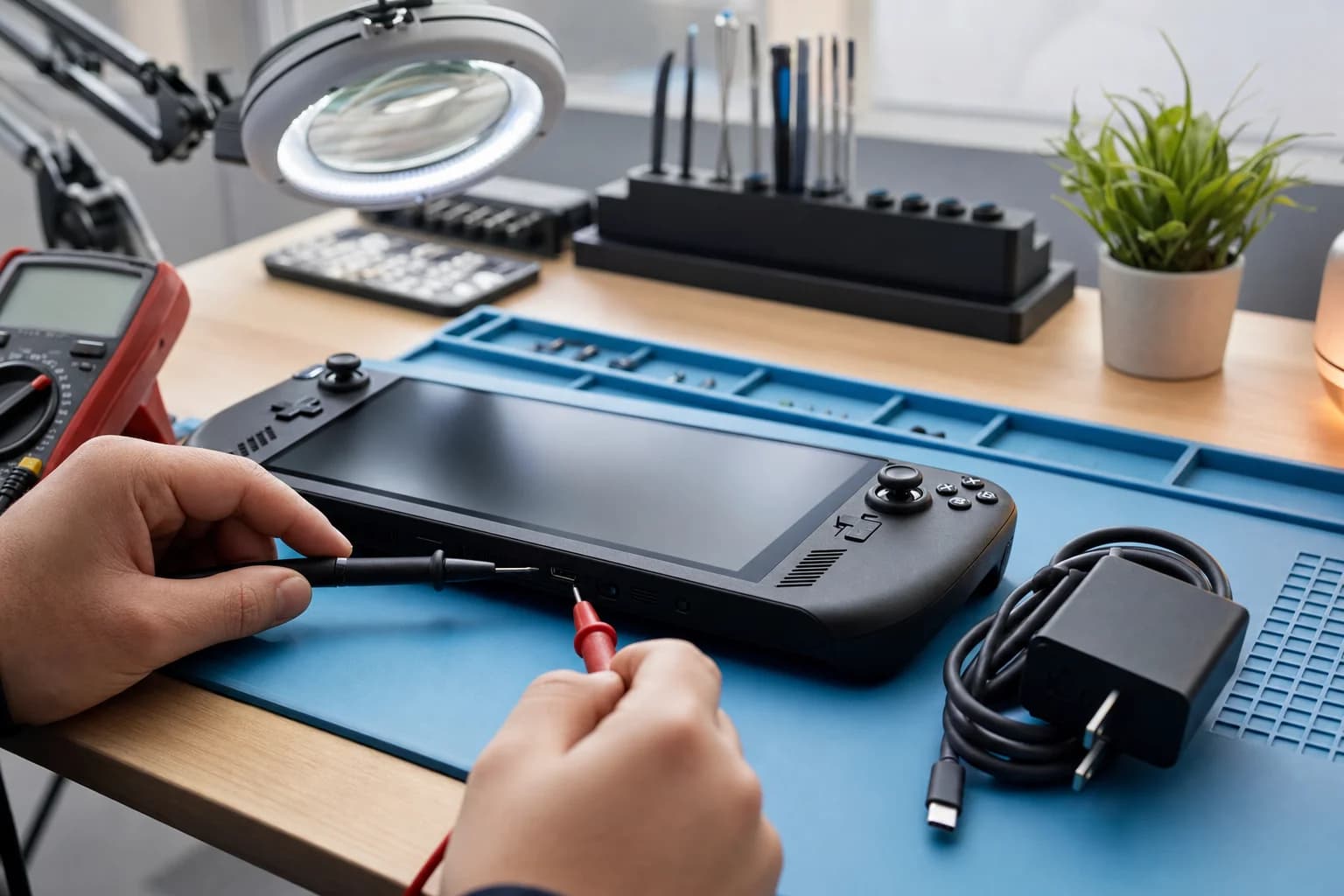
Sudden death with a known cause is board territory. Drops crack solder joints and connectors, spills corrode power rails, and a slipped tool during a DIY thumbstick swap can lift a component. This is exactly the work most game stores will not touch and the reason we handle it in-house on the same bench as our MacBook and phone logic board repair: tracing the fault to the failed component and replacing that part, instead of quoting you a new device.
Do not charge it, do not power it on, and do not wait to see if it dries. Liquid plus power is how recoverable boards become dead ones. Bring it in quickly for cleaning and inspection instead.
The battery question
Handheld batteries take more abuse than laptop batteries: full drains, heat from gaming, and charge-while-playing cycles. A battery at the end of its life shows up as sudden shutdowns at 20 to 30 percent, a device that only runs while plugged in, or in the worst case a swollen pack pushing the case or screen apart. A swollen battery is a stop-everything problem: quit using the device and bring it in. Battery replacement on all three handhelds is a standard repair for us, same day in most cases once the part is in hand.
Three habits that meaningfully extend handheld battery life: avoid storing it at zero percent, keep it out of hot cars, and if it will sit unused for a month or more, leave it around half charge. None of this is exotic, and all of it is cheaper than a battery.
What not to do
- Do not pry open a device with a charged or swollen battery. A punctured lithium pack can vent or catch fire. This is the one DIY risk that is genuinely dangerous rather than just expensive.
- Do not keep force-restarting a boot-looping device. If the storage is failing, every cycle risks the data on it. Two attempts, then stop.
- Do not dig at the USB-C port with anything metal. Bent pins turn a cleaning into a port replacement. Wooden toothpick, plastic pick, or compressed air at an angle.
- Do not trust a bargain-bin charger. Handhelds negotiate power delivery, and cheap chargers that fake it can fail to charge or worse. Original or a reputable 45W to 65W PD charger.
- Do not charge a device that got wet. Covered above, worth repeating, because it is the most common way a saveable handheld becomes a dead one.
Warranty first, honestly
One thing we tell every handheld owner straight: if your device is still inside the manufacturer warranty and the failure is not from an accident, use the warranty. Valve, Lenovo, and ASUS all handle genuine defects, and an independent repair can affect that coverage. Where we earn our keep is everything the warranty does not cover: accident damage, liquid, worn ports, out-of-warranty units, and the board-level failures manufacturers answer with a full replacement quote.
Handheld still dead after the fix order?
Bring it to our Irvine bench. Free diagnostic, a written quote before any work, ports and batteries usually same or next day, board-level repair in 2 to 5 days. 90-day warranty on everything.
Related reading: our game console and handheld repair page for everything we fix across Steam Deck, Legion Go, Ally, Switch, PS5, and Xbox, the ROG Ally X board repair case study for the deep end of this work, and our micro soldering page for how component-level repair actually happens.
Frequently asked questions
My Steam Deck won't turn on at all. Is it dead?+
Usually not. The two most common causes we see are a deeply drained battery that needs real time on the charger before it shows any sign of life, and a frozen state that clears with a long hold of the power button. There is also a third Deck-specific cause: battery storage mode, which the Deck will not wake from on battery alone, it has to be plugged into a wall charger. Work through the fix order in this guide before assuming the worst. If it still shows nothing after 30 minutes on a known-good charger and a forced restart, that points to a power or board fault, and the diagnostic at our Irvine bench is free.
My Steam Deck has a white light that blinks and then nothing. What is that?+
A brief white LED that flashes when you press power usually means the Deck sees the button but does not have enough battery to boot. Plug the original 45W charger straight into the wall, leave it for 30 to 60 minutes, and try again. If the light blinks for weeks of charging and never boots, the battery or charging circuit needs a bench look.
My Legion Go charges but will not boot. What is that?+
A charge light with no boot usually means the power side is fine and the problem is further in: a frozen state, corrupted software, or in the worst case a board fault. Try a long forced shutdown first (hold the power button for 15 to 30 seconds), then power on. If it repeatedly freezes at the Legion logo or a black screen, bring it in for a free diagnostic rather than resetting it over and over.
Why did my handheld stop charging?+
The USB-C port is the usual suspect. Handhelds get plugged and unplugged far more than laptops, often while playing, and docks add even more wear. Worn or damaged port pins cause slow charging, charging that only works at certain cable angles, and eventually no charging at all. Port replacement is a routine board-level repair for us. Charger and cable failures are the other common cause, which is why the fix order starts by ruling those out.
Is it worth repairing a handheld, or should I just buy a new one?+
Usually worth repairing. The common failures (charging port, battery, thumbsticks, fans) cost a small fraction of a new device. Even board-level repair typically lands well under replacement cost. The honest exception: if your device is still under manufacturer warranty and the failure is not accident damage, use the warranty first. We will tell you which side of that line you are on at the free diagnostic.
Can I replace a handheld battery myself?+
It is riskier than it looks. Handheld batteries are glued in behind tight shielding, and prying at a lithium cell with a metal tool is a fire risk, especially if the pack is swollen. If you are experienced with electronics teardowns and the battery is healthy, it is doable with patience. If the battery is swollen, do not open it at all, bring it in. For most people the math favors having it done: the part plus careful labor is still far below replacement cost.
Do you repair the ROG Ally and Ally X too?+
Yes. Steam Deck and Steam Deck OLED, Lenovo Legion Go, ASUS ROG Ally and Ally X, and the Nintendo Switch family. Ports, batteries, screens, fans, thumbsticks, liquid damage, and board-level work. We published a full case study of a no-power ROG Ally X board repair if you want to see what that work looks like.
My handheld works but shows nothing on the TV through the dock. Same problem?+
Different problem, usually easier. Dock output failures are most often the dock, the HDMI cable, or the handheld's USB-C port rather than the handheld itself. Test the handheld's screen first: if it plays fine undocked, work through cable, dock power, and a different TV input before blaming the device. If the USB-C port has gotten picky about charging too, the port is the common thread and a port replacement fixes both.
My handheld got wet or had a spill. Same steps?+
No. Skip the fix order entirely. Do not charge it, do not power it on, and do not wait to see if it dries out. Liquid plus power is how boards die. Bring it in as soon as you can for cleaning and inspection. Liquid damage is the one repair with a diagnostic fee, and it is waived if you go ahead with the repair.
How much does handheld repair cost in Irvine?+
Every job starts with a free diagnostic and a written quote before any work. Common repairs like charging ports, fans, and thumbsticks are usually same day or next day. Board-level work runs 2 to 5 days. You only pay if you approve the quote, and everything carries our 90-day warranty.