- Cost at our shop: $99 to $179 depending on model.
- Cost at Apple Store: $159 to $249 (out of warranty).
- Time: 1 to 3 hours, same day if the battery is in stock.
- Replace it if: health below 80%, "Service Recommended", or it is swollen.
- Where: Computer Clinic Irvine, 18021 Sky Park Cir Suite H2. Walk-in.
MacBook batteries are wear items. Every laptop battery loses capacity as it ages, and eventually the difference between a healthy cell and a dying one is the difference between a useful laptop and one that dies when you unplug it. We replace MacBook batteries every week at our shop in Irvine. This post is the short version of what we tell customers in person.
Three real signs it is time
People often replace their battery too early (when nothing was actually wrong) or too late (after the cell has started to swell). The right time is when you hit one of three signals.
1. Maximum capacity is below 80%
Apple considers anything above 80% maximum capacity "Normal" and anything below it a service candidate. Modern MacBooks (M1 and later) are rated for around 1,000 cycles before they typically drop to 80%. If you are seeing 65 to 75% on a 3 to 4 year old machine, that matches the math. Time to swap.
2. macOS shows "Service Recommended" or "Service Battery"
This is the in-software version of the same signal. Apple's own battery health system has decided the cell is at end of useful life. It is not a false alarm. We have never opened a "Service Recommended" Mac and found a healthy battery.
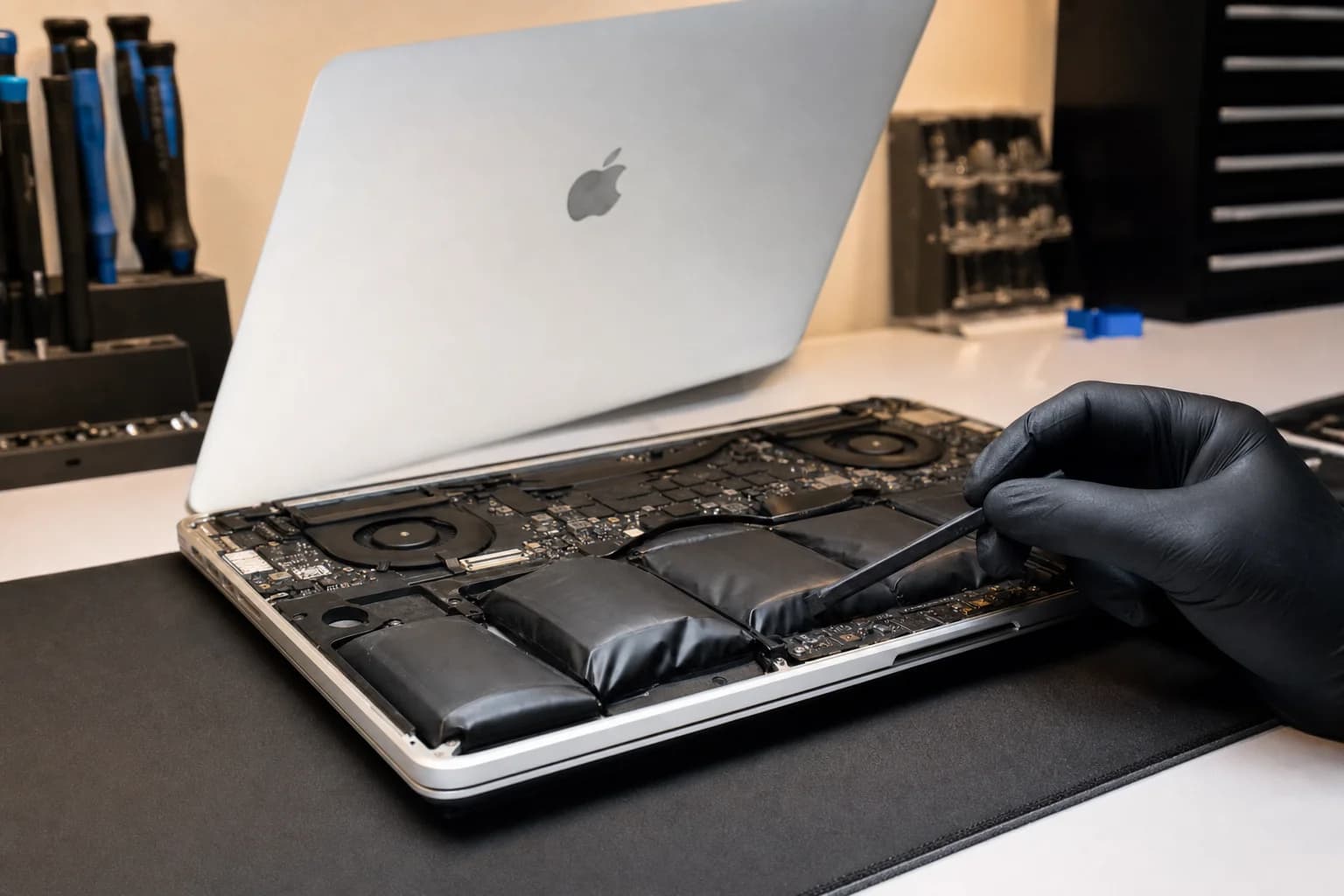
3. The battery is visibly swollen
On a 2016 or newer MacBook Pro with the battery glued into the chassis, swelling pushes the trackpad up (the click stops feeling normal) or warps the bottom case. On a MacBook Air, the keyboard can start to bow. Stop using the laptop the moment you notice this. A swollen lithium-ion cell is a fire risk.
Power the MacBook off. Do not charge it. Do not press on the swollen area. Bring it in or call (657) 321-9934. Same-day replacement on most models.
How to actually check your battery health
The right way is in macOS itself. Ignore third-party "battery health" apps that score you out of 100. The numbers that matter are simple.
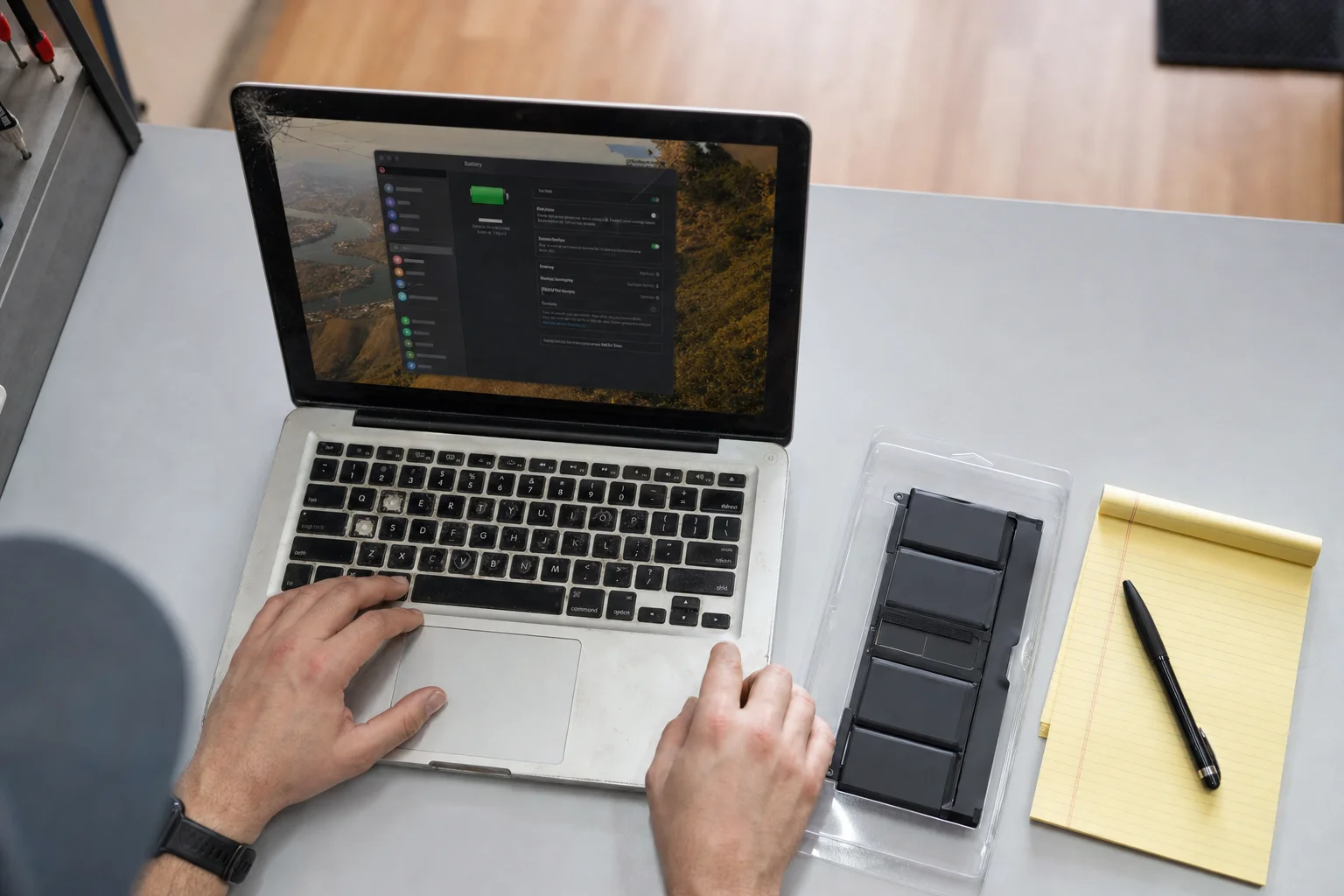
Maximum capacity:System Settings > Battery, then click the small "i" icon next to Battery Health. You will see a percentage and a condition (Normal or Service Recommended). 100% is a new battery. 80% is the line.
Cycle count: Hold Option, click the Apple menu, choose System Information, then Power. The cycle count is in the Battery Information section. M1 and later are rated for 1,000 cycles. Pre-2010 MacBooks were rated for 300 to 500.
What to ignore: the "time remaining" estimate. macOS calculates this in real time and it jumps around. A bad reading does not mean a bad battery.
What it costs
We work in flat-rate pricing. The number depends on the model, not on how long the work takes, so you know exactly what you are paying before we touch the machine.
| Model | Apple Store | Computer Clinic Irvine |
|---|---|---|
| MacBook Air (M1, M2, M3) | $159 | $99 to $129 |
| MacBook Air (older Intel) | $159 to $199 | $99 to $129 |
| MacBook Pro 13" (all M-series) | $199 | $129 to $159 |
| MacBook Pro 14" (M1 Pro, M2 Pro, M3 Pro/Max) | $249 | $149 to $179 |
| MacBook Pro 16" (M1 Max, M2 Max, M3 Max, M4 Max) | $249 | $149 to $179 |
| MacBook Pro 13"/15" Touch Bar (Intel) | $249 | $129 to $159 |
Apple pricing reflects Apple's published out-of-warranty service rates. Our pricing is a typical range for the same job using OEM-spec cells. Free diagnostic. Written quote before any work.
If you have AppleCare+ and your battery is below 80%, Apple will replace it free. AppleCare+ is the right move in that situation. We are the better option when AppleCare is expired or you do not have it, which is most MacBooks beyond year three.
What we actually do
The work is not glamorous, but it is precise. This is routine work for us, and the process is the same every time.
- Open the bottom case. Pentalobe screws on the chassis. We label the screws (they are different lengths) so they go back exactly where they came from.
- Disconnect the battery, then logic board. The order matters for safety.
- Remove the old cells. Modern Pro and Air batteries are glued in with stretch-release adhesive (older) or pressure-sensitive adhesive (newer). On older models we slide pull-tabs. On newer ones we use a small amount of solvent to release the adhesive without bending the cells.
- Install the new battery. Position cells precisely, install new adhesive strips, reconnect the battery board.
- Test before close-up. Boot the MacBook, verify the battery is recognized, check the cycle count is reset, run a brief discharge test.
- Reassemble and final check. Bottom case back on, screws to their original locations, full boot test, hand it back.
How long it takes
Most MacBook batteries are 1 to 3 hours of bench time. Older models with screws are at the fast end. Newer models with strong adhesive are at the slow end. If the battery is in stock (which it usually is for current MacBook Air and Pro models), the whole thing is same day. If we need to order, it is next business day.
You can drop off and come back. Or you can wait in the lobby and watch us do it. People do both.
What is not a battery problem
We see a lot of MacBooks where the customer thought the battery was dying, but it was something else. A few patterns:
- "It dies fast even though battery health says 95%."Usually a runaway process, a misbehaving app, or thermal throttling. Activity Monitor > Energy tab tells you.
- "It will not charge." Often the USB-C/MagSafe port (dirt or damage), the charging cable, or a charging IC on the board. Not the battery.
- "It shuts down at 30%." This one is sometimes the battery, but more often the macOS state-of-charge calibration is off. We test before recommending a replacement.
Free diagnostic. If the battery is not the answer, we tell you what is.
Same-day MacBook battery replacement in Irvine
We are at 18021 Sky Park Cir Suite H2, Irvine, CA 92614. Free parking. Walk in any time during business hours (Mon to Fri 9 to 6, Sat to Sun 10 to 4). Call ahead if you want to confirm we have your model's battery in stock: (657) 321-9934.
College student? We are 10 to 20 minutes from every OC campus and offer a student discount with any valid college ID. See student laptop and phone repair.
Outside Irvine, drop-off is straightforward from Tustin, Costa Mesa, Newport Beach, Mission Viejo, and the rest of Orange County.
Free diagnostic. Honest quote.
If your MacBook battery is below 80%, "Service Recommended", or swollen, we can usually have it back to you the same day.
Frequently asked questions
How much does MacBook battery replacement cost in Irvine?+
At Computer Clinic Irvine, MacBook battery replacement runs $99 to $179 depending on the model. MacBook Air is the cheapest end of that range, 14-inch and 16-inch MacBook Pro the higher end. Most replacements are same day if the battery is in stock. Free diagnostic before any work.
How does that compare to Apple's price?+
Apple's published out-of-warranty battery service is currently in the $159 to $249 range depending on model (MacBook Pro 2016 and newer is at the top of that range). We are typically 30 to 50% less, with same-day service instead of a multi-day depot turnaround.
When should I actually replace my MacBook battery?+
Three reliable signals: (1) battery health drops below 80% maximum capacity, (2) macOS shows 'Service Recommended' or 'Service Battery' in System Settings, or (3) the battery is visibly swollen and pushing up the trackpad or keyboard. Any one of those is a real reason. Cycle count alone is not a reason if everything else is fine.
How do I check my MacBook battery health?+
On a modern MacBook (macOS Ventura and newer): open System Settings > Battery, then click the 'i' icon next to Battery Health. You will see maximum capacity (a percentage) and a condition status (Normal or Service Recommended). For cycle count: hold Option, click the Apple menu, choose System Information, then Power.
Is a swollen MacBook battery dangerous?+
Yes. A swollen lithium-ion cell is a fire risk, especially if punctured. Stop using the MacBook, do not let it heat up, do not press on the swollen area, and bring it in as soon as you can. We see swollen batteries every week (usually 3 to 5 year old MacBook Pros) and we replace them safely.
Will I lose my data?+
No. Battery replacement does not touch storage. Your data, accounts, apps, and settings are all unchanged. We back up nothing because nothing changes.
Will battery replacement reset my cycle count?+
Yes. A new battery means a new cycle counter. The macOS battery health stats reflect the new cell.
What batteries do you use?+
We use cells that meet Apple's published battery specifications. Capacity (mAh), voltage, and chemistry all match. You will not see a degraded runtime compared to the original. We are upfront about this at the quote.
Will macOS show a 'genuine part' warning?+
Maybe. Newer MacBooks may show a 'genuine Apple part' note in System Settings > General > About when a non-Apple battery is installed. Function is the same. If you specifically want a genuine Apple battery, we can order one for an upcharge.
How long does the replacement take?+
Most MacBook battery replacements are 1 to 3 hours from drop-off. Models with a glued-in battery (most 2016 onward MacBook Pros) take a little longer than older models with screws. If the battery is in stock, we do it the day you bring it in.
Do you offer a warranty on the battery?+
Yes. 90 days on parts and labor. If the battery fails in that window, bring it back and we replace it.
Where are you?+
Computer Clinic Irvine, 18021 Sky Park Cir Suite H2, Irvine, CA 92614. Free parking. Walk in any time during business hours. (657) 321-9934.