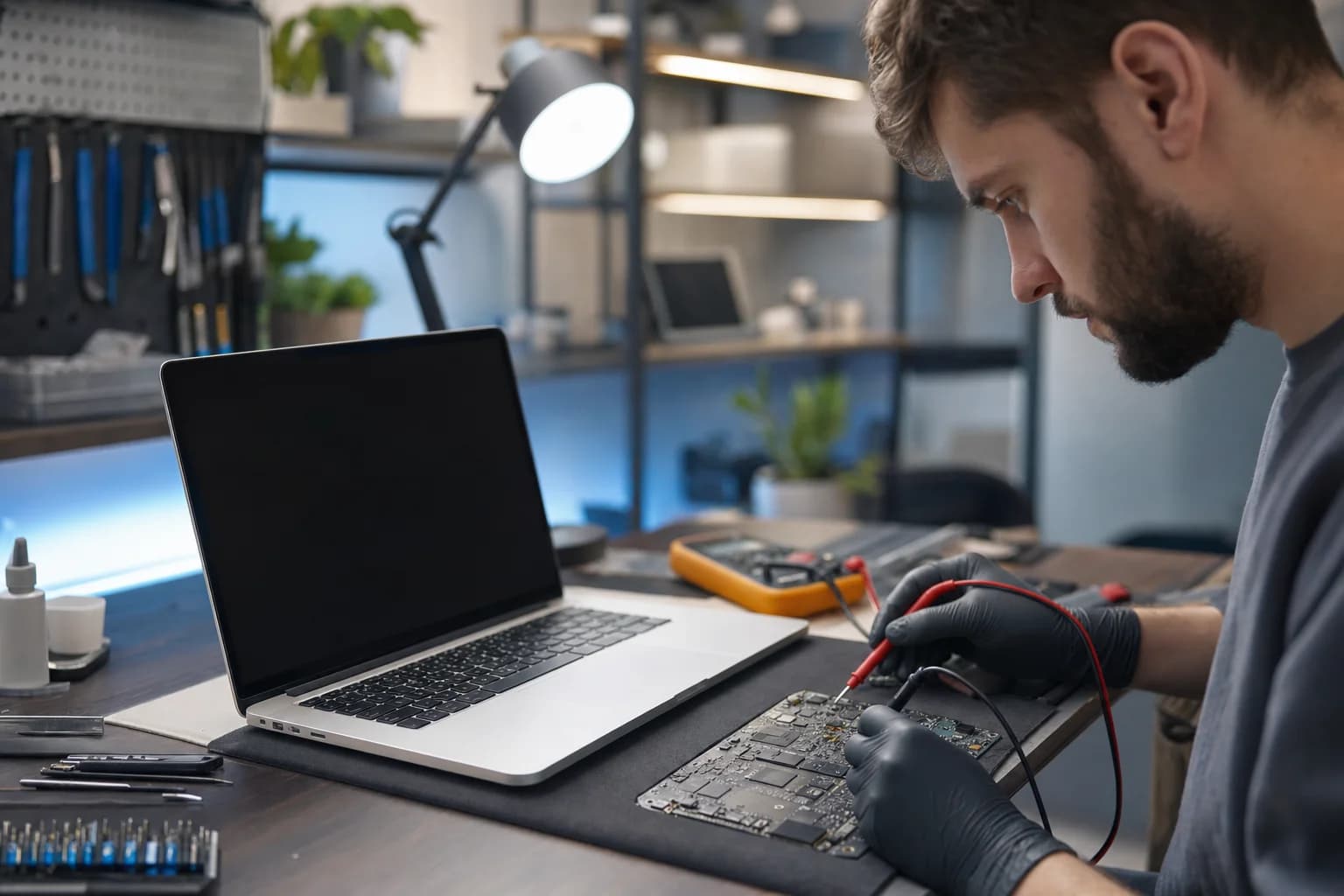
Try these five checks first (about 60 seconds)
- Tap Caps Lock. If the key light comes on, the Mac is running and the screen is the problem, not the power.
- Check the charger, cable, and port. Try a different outlet and, if you have one, a different cable. A dead charger is the cheapest fix there is.
- Hold the power button for 10 seconds. Release, wait a few seconds, then press it once normally. This forces a restart out of a frozen state.
- Leave it plugged in for 30 minutes. A deeply drained battery can need real time on the charger before the Mac shows any sign of life.
- Listen and feel. A chime, fan noise, or keyboard backlight means power is flowing and you likely have a display or startup issue, which is usually cheaper to fix than a dead board.
Still nothing? That points to a power or logic board fault. The rest of this guide walks through every cause, and the diagnostic at our Irvine bench is free.
Introduction: When Your MacBook Won't Turn On
Few things are more panic-inducing than pressing the power button on your MacBook and getting... nothing. No Apple logo, no startup chime, no spinning fans, just a cold, unresponsive machine. If you're facing this nightmare scenario right now, take a deep breath. In many cases, a MacBook that won't turn on can be fixed, and we're going to walk you through everything you need to know.
At Computer Clinic Irvine, we diagnose and repair dead MacBooks every day. With our technician's 12+ years of hands-on experience, we've seen every possible cause, from simple fixes that take minutes to complex micro soldering repairs that save machines Apple would have written off. This comprehensive guide shares that expertise with you.
Whether you're a student whose MacBook died before a deadline, a professional who depends on your Mac for work, or anyone facing that dreaded black screen, this guide will help you understand what's happening, what you can try yourself, and when it's time to seek professional help from an Irvine Mac repair specialist.
💡 Before You Panic:
Approximately 30% of "dead MacBook" cases we see are actually simple issues: drained batteries, faulty chargers, or easily reset software glitches. Before assuming the worst, work through the basic troubleshooting steps in this guide. You might save yourself time, money, and stress.
MacBook Won't Turn On? We Can Help
Free diagnostics • Same-day repairs available • 90-day warranty
Quick Diagnosis: Is Your MacBook Really Dead?
Before diving into complex troubleshooting, let's determine what "won't turn on" really means for your MacBook. There's a significant difference between a completely dead machine and one that's having display or startup issues. This distinction is crucial for diagnosis.
Signs of Life Checklist
When you press the power button, check for these signs:
Completely Dead (No Signs of Life)
- • No fan noise whatsoever
- • No startup chime (older models)
- • No keyboard backlight flicker
- • No warmth from the bottom
- • No charging indicator light
- • Screen remains completely black
Has Signs of Life (Not Truly Dead)
- • Fans spin even briefly
- • You hear any sound at all
- • Keyboard backlight comes on
- • Machine feels warm
- • Caps Lock light responds
- • Charger LED lights up
If your MacBook shows any signs of life, it's likely a display issue or startup problem rather than a complete power failure. Jump to the Display Issues section or Storage/Startup section for relevant troubleshooting.
The Caps Lock Test
Here's a quick diagnostic trick: press the Caps Lock key. If the Caps Lock light turns on, your MacBook is actually running. It's just not displaying anything. This indicates a screen or display cable problem, not a power issue. If Caps Lock doesn't respond at all, you're dealing with a genuine power failure.
External Display Test
If you have access to an external monitor or TV with the right cable (HDMI, USB-C, or Thunderbolt), try connecting your MacBook. If the external display shows your desktop or the Apple logo, your MacBook is working. It's specifically the built-in display that's failed. This is actually good news, as display repairs are typically less expensive than logic board repairs.
Common Causes by MacBook Model
Different MacBook generations have different weak points. Understanding the common failure modes for your specific model helps narrow down the likely cause.
M1/M2/M3 MacBooks (2020-Present)
Apple Silicon MacBooks are generally more reliable than their Intel predecessors, but they're not immune to problems:
- Battery Deep Discharge: If left completely drained for extended periods, the battery may not recover without a prolonged charging session (sometimes 24+ hours).
- Liquid Damage: Despite Apple's claims, these MacBooks are not water-resistant. Liquid damage remains a top killer.
- SoC Failures: Rare but possible. When the Apple Silicon chip fails, the entire logic board needs replacement.
- USB-C Port Damage: The charging ports can be damaged by power surges, bent cables, or debris.
Intel MacBook Pro (2016-2020 Touch Bar Era)
These models are notorious for several design-related issues:
- T2 Chip Failures: The T2 security chip controls power management. When it fails, the MacBook appears completely dead.
- Flexgate (Display Cable): The display flex cables were too short, causing them to wear out and resulting in display failures.
- Power Management IC Failures: Chips like the CD3215 USB-C controller frequently fail, preventing the MacBook from charging or turning on.
- Battery Swelling: Batteries in these thin designs sometimes swell, pressing on other components.
Intel MacBook Pro/Air (2012-2015)
These older but still widely-used models have their own common failures:
- MagSafe DC-in Board: The MagSafe charging board commonly fails, preventing any power from reaching the system.
- GPU Failures (15-inch models): The discrete GPUs in 15-inch models were prone to failure from heat stress.
- SMC Corruption: The System Management Controller can become corrupted, preventing startup.
- Age-Related Capacitor Failures: After 8-10 years, capacitors on the logic board can fail.
Step-by-Step Troubleshooting Guide
Work through these steps in order. Each builds on the previous and helps narrow down the cause of your MacBook not turning on.
1Check Your Power Adapter and Cable
The most common "dead MacBook" we see is actually a dead charger. Before anything else:
- • Inspect the cable for fraying, kinks, or damage near the connectors
- • Try a different outlet (not just a different port on the same power strip)
- • If you have access to another Apple charger, test with that
- • For USB-C MacBooks: ensure the cable is a data/charging cable, not charge-only
- • Check the USB-C port for debris, and use a plastic toothpick to gently clean it
2Let It Charge (Really Charge)
If your MacBook's battery was completely drained, it may need extended charging before showing any signs of life:
- • Plug in the charger and wait at least 30 minutes before trying to turn it on
- • For severely drained batteries, wait 2-4 hours
- • The charging indicator may not light up initially on completely dead batteries
- • Don't repeatedly press the power button, just let it charge
3Perform a Force Restart
Sometimes MacBooks get stuck in a non-responsive state. Try a force restart:
- • All MacBooks: Press and hold the power button for 10 full seconds
- • Wait 5 seconds, then press the power button again normally
- • For MacBooks with Touch ID: the Touch ID button IS the power button
4Reset SMC (Intel Macs) or Restart Apple Silicon
The SMC (System Management Controller) handles power functions on Intel Macs:
For Apple Silicon (M1/M2/M3) MacBooks:
There's no SMC to reset. Simply shut down completely, disconnect power, wait 30 seconds, reconnect power, and try starting again.
For Intel MacBooks with T2 chip (2018-2020):
- 1. Shut down the Mac (if possible)
- 2. Press and hold: Control + Option + Shift (left side) for 7 seconds
- 3. While still holding those keys, also press and hold the power button for 7 more seconds
- 4. Release all keys, wait 2-3 seconds
- 5. Press the power button normally to start
For older Intel MacBooks (2017 and earlier):
- 1. Shut down the Mac
- 2. Connect the power adapter
- 3. Press Shift + Control + Option + Power button simultaneously for 10 seconds
- 4. Release all keys and the power button
- 5. Press the power button again to turn on
5Reset NVRAM/PRAM (Intel Macs Only)
NVRAM stores certain settings that can occasionally cause startup issues:
- 1. If your Mac is on, shut it down
- 2. Press the power button, then immediately press and hold: Option + Command + P + R
- 3. Hold these keys for about 20 seconds
- 4. On older Macs, you'll hear the startup sound twice
- 5. On T2 Macs, release after the Apple logo appears and disappears twice
Note: Apple Silicon Macs don't have NVRAM that can be reset this way.
6Try Safe Mode
If your Mac shows any signs of life but won't complete startup, try Safe Mode:
For Apple Silicon Macs:
- 1. Press and hold the power button until "Loading startup options" appears
- 2. Select your startup disk
- 3. Hold Shift, then click "Continue in Safe Mode"
For Intel Macs:
- 1. Turn on or restart your Mac
- 2. Immediately press and hold the Shift key
- 3. Release Shift when you see the login window
Tried Everything? Let Us Diagnose It
If these steps didn't work, professional diagnosis will pinpoint the exact issue.
Power-Related Issues: Batteries, Chargers & More
When troubleshooting steps don't work, the issue often lies in the power delivery system. Here's a deeper look at power-related failures:
Battery Failures
MacBook batteries have a finite lifespan, typically 1,000 charge cycles or 3-5 years. When they fail, symptoms include:
- • Won't turn on without power connected: The battery can no longer hold charge
- • Random shutdowns: Battery reports false charge levels
- • Swelling: Visible bulge in trackpad area or case gaps
- • Complete failure: No response even when plugged in (rare)
Repair cost: Battery replacement at Computer Clinic Irvine runs $149-$299 depending on your MacBook model, compared to $199-$299+ at Apple. We use high-quality replacement batteries with a 1-year warranty.
Charging Port & DC-in Board Issues
The charging system is often the culprit for MacBooks that won't power on:
- • USB-C port damage: Bent pins, debris, or liquid corrosion
- • MagSafe DC-in board failure: Common on 2012-2015 models
- • Power surge damage: Can destroy charging circuitry
- • Charger compatibility issues: Non-Apple chargers may not provide proper voltage
Repair cost: USB-C port repair or DC-in board replacement typically costs $99-$199. This is often the most cost-effective repair for a dead MacBook.
SMC/Power Management Chip Failures
The System Management Controller (Intel Macs) or power management circuitry controls when and how your Mac receives power. When these fail:
- • MacBook shows absolutely no signs of life
- • May not respond to any troubleshooting attempts
- • Often caused by power surges or liquid damage
- • Requires component-level board repair
Repair cost: SMC chip replacement via micro soldering costs $250-$450, saving you from a $600-$1,500 full logic board replacement.
Logic Board Problems: When Components Fail
The logic board is your MacBook's brain and central nervous system. When it fails, the symptoms often look like a "dead" MacBook. However, many logic board issues can be repaired at the component level, avoiding expensive full board replacement.
Common Logic Board Failure Points
Power Rail Failures
Your MacBook has multiple voltage rails (PPBUS_G3H, PP3V3_S5, etc.) that must work in sequence. A short on any rail can prevent startup. We use specialized equipment to trace and repair these faults.
Capacitor & Resistor Failures
Tiny surface-mount components can fail from age, heat, or liquid damage. Replacing a 50-cent capacitor can bring a "dead" MacBook back to life.
Corrosion from Liquid Damage
Liquid corrodes connections over time. Even if a spill happened months ago, corrosion can spread and eventually cause failure. Ultrasonic cleaning and component replacement can often restore function.
USB-C Controller (CD3215) Failures
The CD3215 chip on 2016-2020 MacBook Pros frequently fails from power issues, preventing charging and startup. This chip can be replaced for $250-$350.
Repair vs. Replacement: The Cost Breakdown
| Issue | Component Repair | Board Replacement |
|---|---|---|
| Power IC failure | $250-$400 | $600-$1,200save 50-70% |
| USB-C port circuit | $200-$350 | $600-$1,200save 60-75% |
| Liquid damage cleanup | $200-$500 | $600-$1,500save 50-80% |
| Backlight circuit | $150-$300 | $600-$1,200save 70-85% |
At Computer Clinic Irvine, we specialize in component-level logic board repair. This means we can often fix your MacBook for a fraction of what Apple would charge for a complete board replacement.
Display Issues vs. Power Issues
A black screen doesn't always mean your MacBook isn't turning on. If you hear fans, feel warmth, or see the Caps Lock light respond, your MacBook is running. It's the display that's not working.
Backlight Failures
The backlight illuminates your screen. When it fails:
- • Screen appears completely black but Mac is running
- • Shining a flashlight at the screen may reveal a faint image
- • External display works perfectly
- • Often caused by backlight fuse, circuit, or connector failure
Flexgate: The 2016-2019 MacBook Pro Problem
Apple's design flaw in 2016-2019 MacBook Pros used display cables that were too short. Over time, opening and closing the lid wears through the cable, causing:
- • "Stage lighting" effect at the bottom of the screen
- • Screen flickering when adjusting lid angle
- • Complete display failure (appears as black screen)
- • Symptoms often appear after 2-3 years of use
Good news: Flexgate can be repaired without replacing the entire display assembly. We can replace just the cable for $200-$350, compared to $400-$700 for a full display replacement.
GPU Failures
Graphics processing unit failures were common on 2011-2014 MacBook Pros with discrete GPUs. Symptoms include:
- • Black screen or distorted graphics
- • MacBook gets very hot before screen goes black
- • May work briefly then fail again
- • External display shows same issues
Storage and Startup Failures
Sometimes a MacBook attempts to turn on but can't complete the startup process. This is different from a completely dead machine and often points to storage or software issues.
SSD/Storage Failures
When the storage drive fails, your MacBook may show:
- • Folder with question mark icon (no bootable drive found)
- • Stuck on Apple logo with loading bar that never completes
- • Boots to Recovery Mode but can't see the internal drive
- • Repeated kernel panics during startup
T2/Apple Silicon Security Issues
MacBooks with T2 chips (2018-2020 Intel) or Apple Silicon have integrated security that can sometimes cause startup problems:
- • Stuck on black screen after firmware update
- • Boot loops after major macOS updates
- • Security settings preventing startup from certain drives
- • DFU restore may be required
Data Recovery Considerations
Before attempting any repairs, consider your data. If you have important files that aren't backed up:
- • For 2016+ MacBooks with soldered SSDs: data extraction requires specialized equipment
- • For older MacBooks with removable drives: the drive can often be read in another Mac
- • Time Machine backups can be restored to a new drive
- • Our data recovery service can retrieve files even from failed drives
Liquid Damage: A Major Culprit
Liquid damage is one of the most common causes of MacBooks that won't turn on, and one of the most misunderstood. Here's what you need to know:
If Your MacBook Just Got Wet: STOP
- 1. Power off immediately. Don't try to turn it on to check if it works
- 2. Unplug everything. Remove charger, USB devices, anything connected
- 3. Don't put it in rice. This is a myth and can cause additional damage
- 4. Don't use a hair dryer. Heat can push liquid deeper into components
- 5. Bring it in immediately. Professional cleaning within 24-48 hours dramatically improves recovery chances
Why Liquid Damage Is So Destructive
The real damage from liquid isn't the liquid itself. It's the corrosion that follows:
- • Minerals and impurities in water, coffee, or soda conduct electricity
- • This causes short circuits between components
- • Even after drying, residue remains and continues corroding
- • Corrosion spreads over days and weeks, causing progressive failure
- • A MacBook that "works fine" after a spill may fail weeks later
Professional Liquid Damage Treatment
At Computer Clinic Irvine, our liquid damage recovery process includes:
- 1. Complete disassembly. Every component is removed from the case
- 2. Ultrasonic cleaning. Logic board and components are cleaned in specialized solution
- 3. Microscopic inspection. We examine for corrosion and damaged components
- 4. Component replacement. Any corroded or shorted components are replaced
- 5. Testing. Full functional testing before reassembly
Recovery odds are best when a liquid-damaged MacBook is brought in quickly. Cost ranges from $200-$500 depending on the extent of damage, still far less than replacement.
What NOT to Do: Common Mistakes
When facing a dead MacBook, panic can lead to decisions that make things worse. Avoid these common mistakes:
Don't: Repeatedly try to turn it on
If your MacBook isn't responding, hammering the power button won't help. If there's a short circuit, you may cause additional damage. Try once, wait, try once more, then stop.
Don't: Put a wet MacBook in rice
Rice doesn't absorb moisture from inside electronics. It can, however, leave dust and starch residue inside your MacBook, creating new problems.
Don't: Attempt logic board repair without proper tools
Component-level repair requires microscopes, hot air stations, proper solder, and years of experience. YouTube tutorials make it look easy. It's not.
Don't: Immediately assume you need a new MacBook
Many "dead" MacBooks can be repaired for $150-$400. Get a professional diagnosis before writing it off.
Don't: Forget about your data
Before any repair attempt, think about whether you need data recovery. If you have irreplaceable files, prioritize data extraction before other repairs.
Professional Repair Options in Irvine
When DIY troubleshooting doesn't work, you have several options for professional repair. Here's an honest comparison:
Apple Store vs. Local Repair Shop
| Factor | Apple Store | Computer Clinic Irvine |
|---|---|---|
| Diagnostic Fee | Free (but may require appointment) | Free, walk-ins welcome |
| Turnaround Time | 3-7 business days typical | Same-day to 2 days |
| Repair Approach | Replace entire components | Component-level repair when possible |
| Logic Board Issue | $600-$1,500 (full board) | $250-$500 (repair) |
| Data Preservation | Not guaranteed | Priority focus |
| Warranty | 90 days | 90 days (1 year on batteries) |
| Older Macs | May refuse "vintage" devices | Repair all generations |
Why Choose Computer Clinic Irvine?
- 12+ Years of Mac Repair Experience: Dead MacBooks are one of the most common repairs we see.
- Component-Level Expertise: Our micro soldering capabilities let us repair rather than replace, saving you money.
- Free Diagnostics: We'll tell you exactly what's wrong and what it costs to fix, no obligation.
- Same-Day Service: Many repairs completed while you wait or within hours.
- Honest Assessments: If repair doesn't make sense, we'll tell you. We'd rather earn your trust than push unnecessary repairs.
- Convenient Location: Located in Tustin, we serve all of Irvine and Orange County.
Prevention: Keep Your MacBook Healthy
While you can't prevent every failure, these practices reduce your risk of dealing with a dead MacBook:
Battery Health
- • Avoid letting battery drain to 0% regularly
- • Don't leave it plugged in 24/7 for months
- • Store at 50% charge if unused for weeks
- • Replace battery when capacity drops below 80%
Power Protection
- • Use surge protectors
- • Avoid cheap third-party chargers
- • Unplug during electrical storms
- • Keep charger cables in good condition
Liquid Prevention
- • Keep drinks away from your workspace
- • Use spill-proof containers near computers
- • Consider keyboard covers
- • Have a plan if spills happen (power off immediately!)
Thermal Management
- • Don't block ventilation with blankets/pillows
- • Clean vents periodically with compressed air
- • Consider a laptop stand for heavy workloads
- • Replace thermal paste every 3-5 years on older Macs
💡 Most Important: Back Up Your Data
The best protection against a dead MacBook is regular backups. Use Time Machine, iCloud, or another backup solution. When hardware fails, your data survives. A failed MacBook is frustrating, but losing years of photos, documents, and work is devastating.
MacBook Still Won't Turn On?
Stop stressing. Bring it to Computer Clinic Irvine for a free diagnostic. We'll identify the exact problem and give you honest repair options, often same-day.
18021 Sky Park Cir Suite H2, Irvine, CA 92614 • Mon-Fri 9AM-6PM | Sat-Sun 10AM-4PM
Frequently Asked Questions
Why won't my MacBook turn on even when plugged in?
There are several reasons your MacBook won't turn on when plugged in: a faulty power adapter or cable, a dead battery that won't hold charge, a failed DC-in board or charging port, SMC (System Management Controller) issues, or logic board failure. Start by testing with a different charger, then try an SMC reset. If it still won't power on, professional diagnosis is needed to identify the specific component failure.
How much does it cost to fix a MacBook that won't turn on?
Repair costs vary by cause: battery replacement costs $149-$299, DC-in board repair $99-$199, SMC chip repair $250-$450, and logic board repair $350-$650. Simple fixes like SMC resets are often free during diagnostics. At Computer Clinic Irvine, we offer free diagnostics to identify the exact issue before providing a repair quote. You only pay if we fix it.
Can you recover data from a dead MacBook?
Yes, in most cases we can recover data from a MacBook that won't turn on. Even if the logic board is completely dead, we can often directly access the SSD to retrieve your files. For newer MacBooks with soldered storage, we use specialized techniques to power the board just enough for data extraction. We recover data from dead MacBooks in the large majority of cases.
What does it mean when MacBook shows no signs of life?
When a MacBook shows absolutely no signs of life, no fan spin, no lights, no sounds, it typically indicates a complete power failure. This could be caused by a dead battery combined with a faulty charger, a failed power management IC on the logic board, catastrophic liquid damage, or a completely failed logic board. Professional diagnosis with specialized equipment is required to pinpoint the exact cause.
How do I reset SMC on my MacBook?
For Intel MacBooks with T2 chip (2018+): Shut down, press and hold Control+Option+Shift for 7 seconds, then also press the power button for another 7 seconds, release all keys, wait 2 seconds, then press power normally. For older Intel MacBooks: Shut down, connect charger, press Shift+Control+Option+Power for 10 seconds, release, then press power. For M1/M2/M3 MacBooks: There's no SMC, so simply shut down, wait 30 seconds, then restart.
Why is my MacBook stuck on a black screen?
A black screen is different from 'won't turn on.' If you hear fans spinning or feel heat, the MacBook is on but the display isn't working. This could be a backlight failure (Flexgate), display cable issue, GPU failure, or just a display sleep issue. Try pressing any key or connecting an external monitor. If external display works, it's a screen/cable issue; if not, it's likely logic board related.
Is it worth repairing an old MacBook that won't turn on?
It depends on the repair cost versus the MacBook's value. Generally, if repair costs less than 40-50% of the current resale value, repair makes sense. A 2019 MacBook Pro worth $800 is worth a $350 logic board repair. However, a 2015 MacBook Air worth $200 may not justify a $300 repair. We provide honest assessments and won't recommend repairs that don't make financial sense.
Can liquid damage cause a MacBook to not turn on?
Yes, liquid damage is one of the most common causes of MacBooks not turning on. Even small spills can cause corrosion on power-related components, short circuits on the logic board, or damage to the battery. The longer liquid sits inside, the more damage occurs. Immediate professional cleaning within 24-48 hours significantly improves recovery chances. Never try to turn on a liquid-damaged MacBook before it's professionally cleaned.
What causes MacBook charging port to stop working?
MacBook charging ports (USB-C or MagSafe) fail due to: debris accumulation preventing proper connection, bent or broken pins inside the port, liquid damage causing corrosion, power surge damage, or DC-in board failure. For USB-C MacBooks, try cleaning the port gently with a plastic toothpick. If cleaning doesn't help, the port or DC-in board may need replacement, a repair that costs $99-$199 at our shop.
How long does MacBook power repair take?
Simple repairs like battery replacement or DC-in board repair typically take 1-2 hours. SMC chip replacement takes 2-4 hours. Complex logic board repairs requiring micro soldering may take 2-5 business days depending on component availability and the extent of damage. We offer same-day service for common repairs when parts are in stock.
Why does my MacBook turn on then immediately shut off?
A MacBook that powers on briefly then shuts off typically indicates: a critically low or failing battery, overheating due to thermal paste degradation or blocked fans, RAM or storage failure causing boot issues, or power management circuitry problems. This symptom often means the MacBook passes initial power-on but fails a system check. Professional diagnostics can identify which component is triggering the shutdown.
Can a swollen battery prevent MacBook from turning on?
Yes, a severely swollen battery can prevent a MacBook from turning on by damaging internal connections or triggering safety shutoffs. Signs of battery swelling include a bulging trackpad, gaps in the case, or the MacBook not sitting flat. A swollen battery is also a safety hazard and should be replaced immediately. Battery replacement costs $149-$299 and includes safe disposal of the damaged battery.
Related Articles

What Is My Broken MacBook Worth? Sell It, Fix It, or Both
What sets a used or broken MacBook's price, when a small repair raises the sale by more than it costs, why a dead Mac still has value to a board-level shop, and how to prep one for sale.
Read more
Apple Upgrade: Lease or Keep? A Repair Bench Does the Math
Apple now leases everything: iPhone, iPad, Mac, Watch. The three fine-print clauses that matter (damage fees, early termination, owning nothing), who leasing genuinely suits, and the keep-vs-replace numbers, charted from published prices.
Read more
Why Is My iMac So Slow? What Actually Fixes It
Most slow iMacs are slow for one reason, the spinning drive. What an SSD upgrade really does, real cost ranges, upgrade vs buy new, and how to tell when it is something else. The honest version from our bench.
Read more